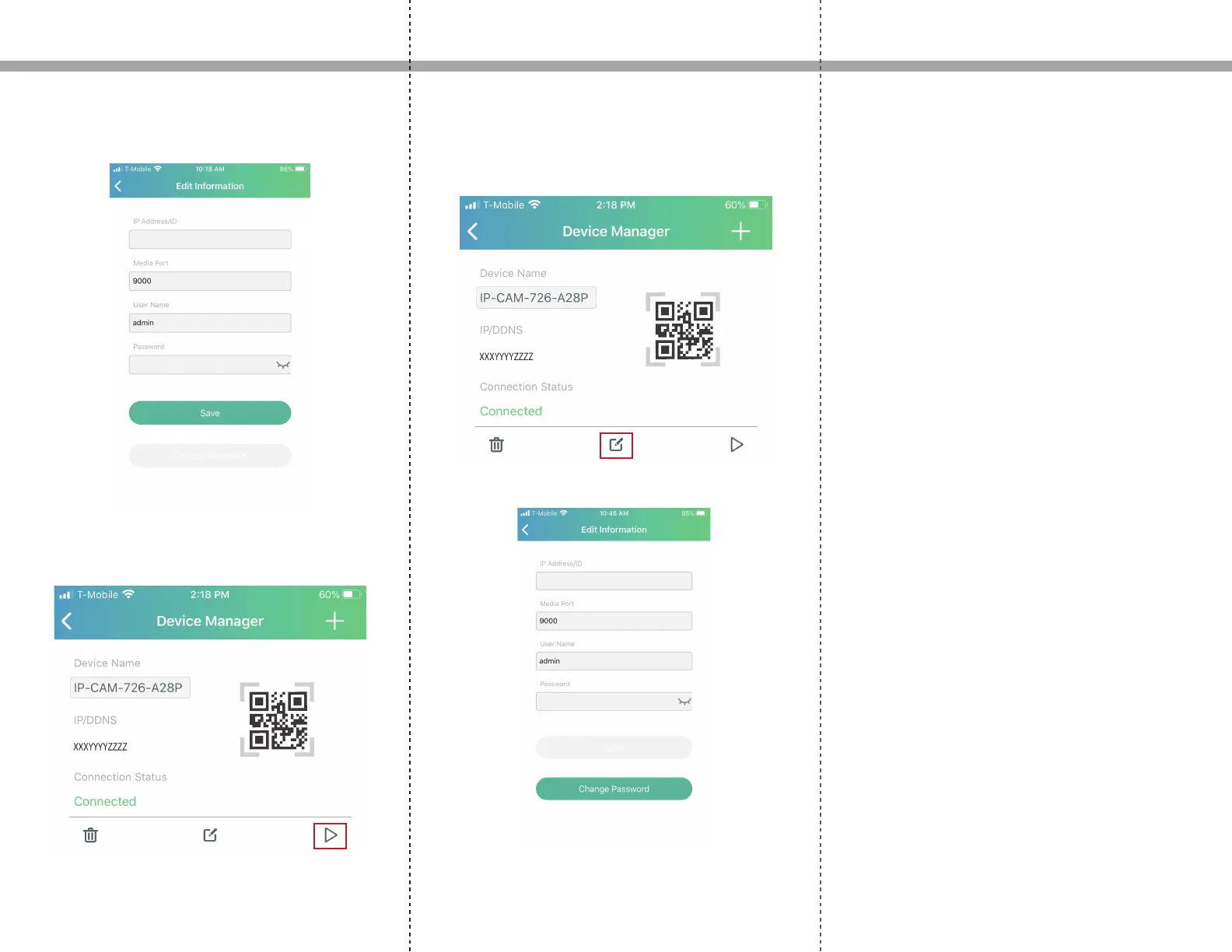
7. Enter the default username and password admin
into the User Name and Password elds
Setup Instructions
XXXYYYYZZZZ
8. If everything was setup correctly, on the connection
status, it will say connected. Click the play icon to start
viewing.
9. In the Device Manager, go back to the edit icon and
change the password (recommended).
XXXYYYYZZZZ


 To Next Page