•
Change your location. Open areas and near windows are often better for connection.
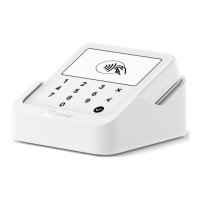
4.3 How to accept payments with the Solo
1. Turn your Solo on with the power button on the right side.
2. Enter the charge amount (minimum €1.00) and tap “Charge”.
a. Before tapping “Charge”, hit “Add description” to include a product
description to help identify the transaction later.
b. After hitting “Charge”, Customers will also have the option to tip if you enable
tipping. Optionally, select a tip or add a custom amount and tap "Pay" to
continue. Remove any selected tip with "Reset tip".
3. When “Tap or insert card” appears on the screen, prompt your customer to pay by
either:
a. Tapping their contactless card or device on your Solo’s screen
b. Inserting their chip card into the slot on top of your Solo
4. Some payments will need to be confirmed with the customer's pin code.
4.4 How to provide a receipt
After a transaction, an option to provide a digital receipt via email or SMS will pop up
automatically.
4.4.1 Send receipts
After a successful transaction, a screen will automatically pop up, prompting you to enter
your customer’s email address and/or phone number. Add your chosen contact details, hit
“Send Receipt” and that’s it: your customer will receive their receipt directly to their inbox.
Alternatively, when the green send receipts screen pops up, you can print the receipt or share
it with another app (such as WhatsApp) using the share button in the top corner.
Contact information used to send receipts is not stored within the SumUp App for privacy
reasons so it’s best to make a note of important information you may need later.
4.4.2 Resend receipts
You can easily resend a receipt with the SumUp App at a later date. Just follow these simple
steps:
1. On the SumUp App, tap "Sales" at the bottom of the screen.
2. Browse your Sales History and locate the transaction you would like to send a receipt
for.
3. Select the relevant transaction.
4. Click on the 3 dots in the top corner of the transaction field and choose “Send receipt”.


 To Next Page