36 Sun StorEdge 3000 Family Best Practices Manual • June 2004
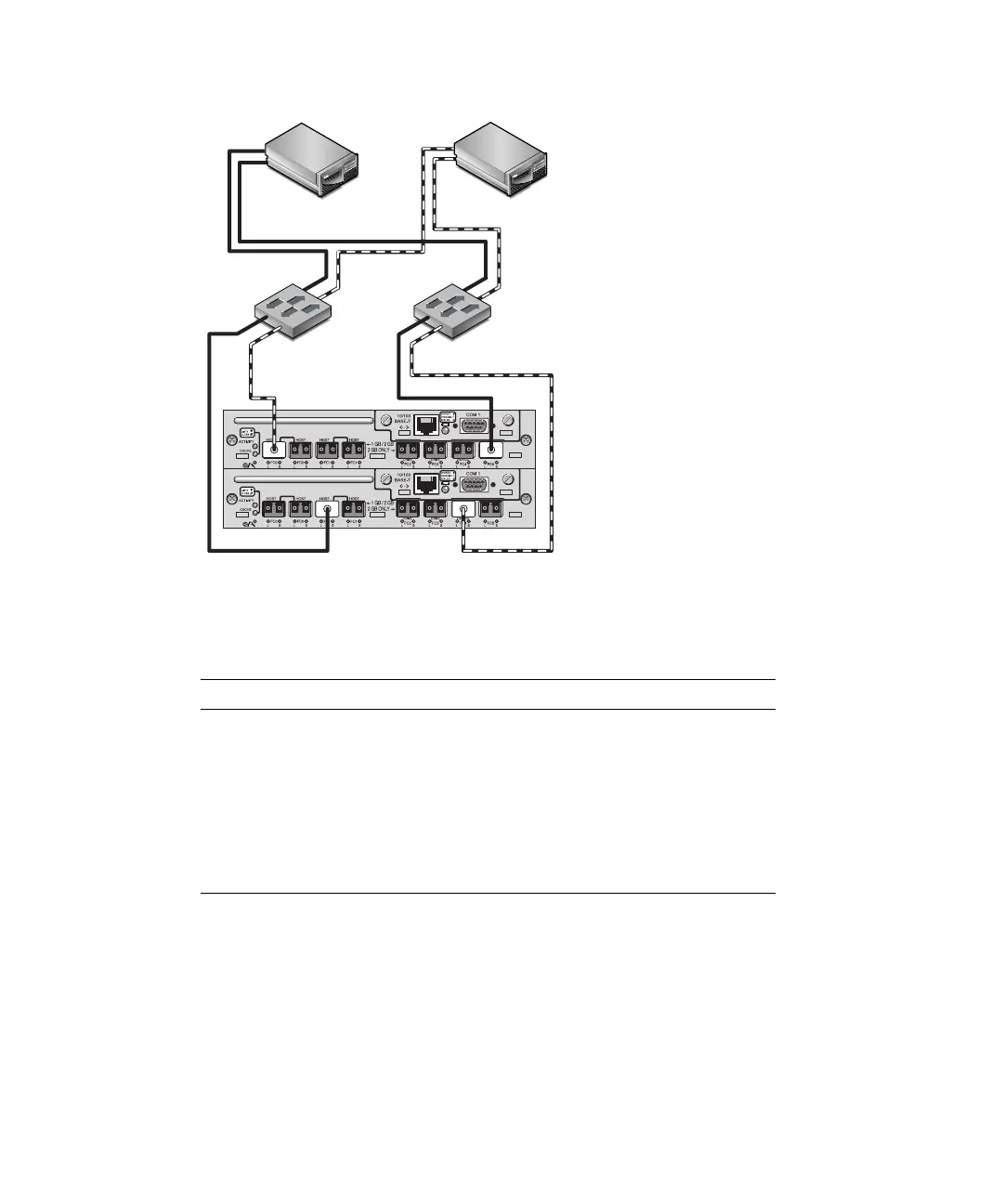
FIGURE 13 Sun StorEdge 3511 SATA Array Full-fabric SAN Connections
The general procedure for creating this configuration follows.
1. Check the position of installed SFP modules. Move them as necessary to support
the connections needed.
2. Connect expansion units if needed.
■ Sun StorEdge 3510 FC Array. See “Sun StorEdge 3510 FC Array High Capacity
Configurations” on page 44.
TABLE 12 Setup Summary for Full Fabric SAN
Channel Number Primary ID Number Secondary ID Number
0 40 N/A
1 N/A 42
21415
31415
4 44 N/A
5 N/A 46
H/D/RCC
H/D/RCC
Server 1
Server 2
Switch 1
Switch 2



 To Next Page
 Loading...



