V07-2014 Page 9 of 24 ©
©
6. Connect power [12v or 240v or Solar] to the Master Operator and connect the Battery
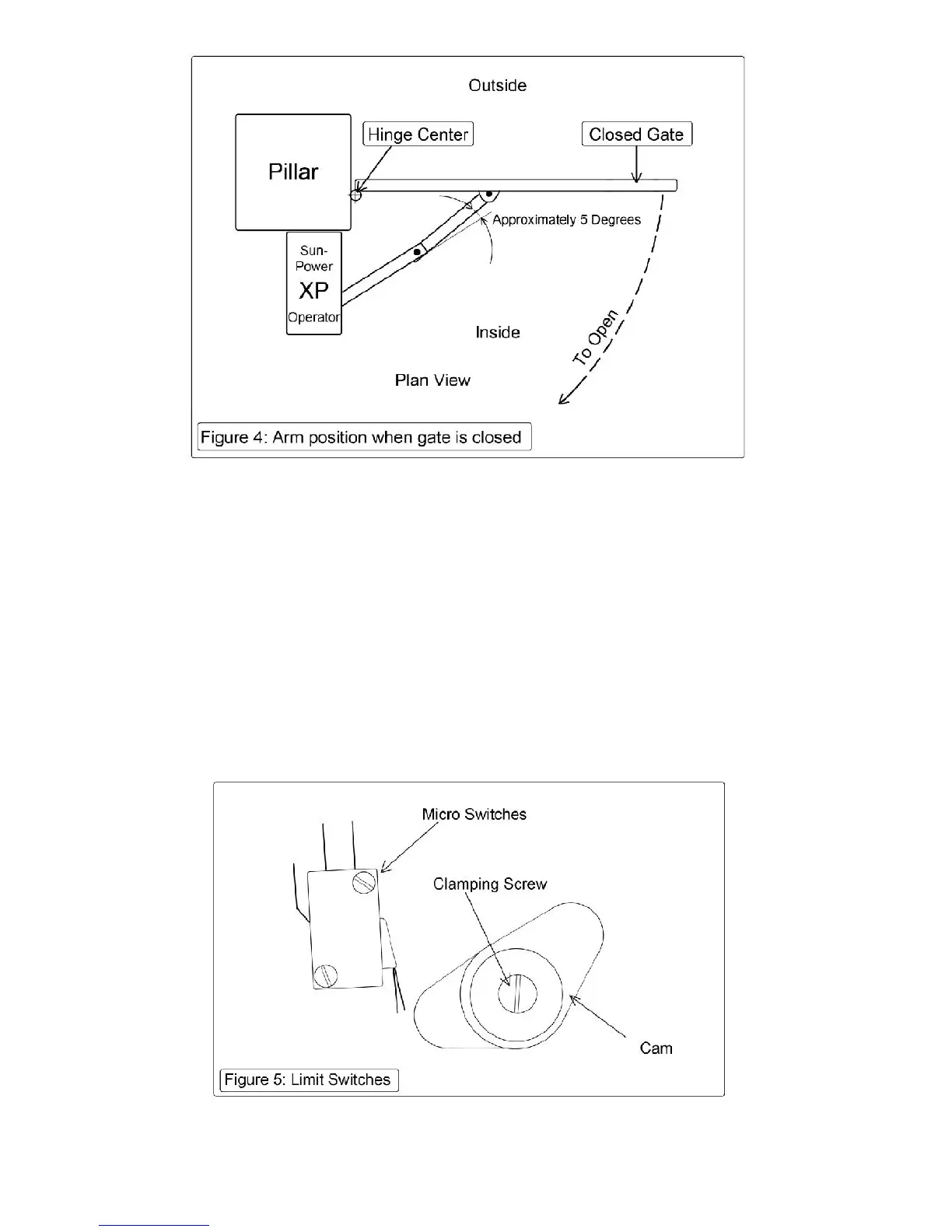
7. The Limit Switches may now be adjusted [If necessary] [See figure 5.] Each of the Master and
Slave Operators has its own pair of cams, one to set the open position & one to set the closed
position.
Firstly mark the position of each cam as a reference. Loosen the screw holding the Cams.
NOW you can drive the XP Operator with the transmitter & NOTE which cam controls the opening
and which cam operates in the closing motion. [The Cam activates a Limit Switch to turn off the
Motor]
Re-position each Cam and operate the XP again. Repeat until the Gates open & close to the
required positions.
©



 To Next Page