3
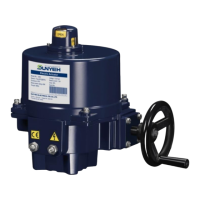
OM Series Quarter-turn Electric Valve Actuator - Modulating Control
❷ Sensitivity Switch Setting (SW2)
a. When switched to “1”: The Highest Sensitivity.
When switched to “0”: The Lowest Sensitivity.
b. Original factory setting
OM-1 to 13, OM-H, OM-A & OM-AM: 3.
❸、❹、❺、❻、❼
Signal Setting for Open and Close Position
OM-A, OM-AM & OM-1
❶Dip-Switch Setting (Factory setting: 1,4,8 ON)
ON
OFF
Sensitivity Switch
Indicator Lamp
OM-2 to OM-13, OM-F, OM-G & OM-H (The layout is
based on the actuator in 24V.)
❶ Dip Switch Setting (Original Factory Setting:1, 4, 8 ON)
ON
* S1, S2:Input Signal Setting
:
If VR51 and VR52 are adjusted, VR1 and VR2 must be
adjusted accordingly.
OM-2 to OM-13, OM-F, OM-G & OM-H
Press and hold “SET” switch for 2 seconds until LD9 lights
to enter local setting mode.
Signal setting for Fully-OPEN position
a. Press and hold “UP” switch to operate the actuator to
open until it has reached fully-open position and LD2
lights and then input a signal 5 V or 10 V or 20 mA.
b. Press “MODE” switch for 2 seconds to complete the
setting of fully-open position.
Signal setting for Fully-CLOSED position
a. Press and hold “UP” switch to operate the actuator to
open until it has reached fully-closed position and LD1
lights and then input a signal 1 V or 2 V or 4 mA.
b. Press “MODE” switch for 2 seconds to complete the
setting of fully-closed position.
Motor thermal protector
activated
Output signal short circuit
See below description for VR2 adjustment:
:
Clockwise: decreasing signal value.
Counter -clockwise: increasing signal value.
After completing the above settings, press “SET” switch to quit
local setting.
* S6, S7 & S8:Setting of fail position when input signal fails.
The input signal type is set by switches 1 and 2. And
switch 6 is used to set the corresponding relationship
between value of input signal and operation direction
of actuator.
These settings are set and calibrated at the factory.
Mostly, they do not need to be recalibrated. Please
follow steps below to set when required.
Use a multimeter to measure the output signal in
accordance with the selected signal type.
Signal setting for Fully-OPEN position
Rotate VR1 counter-clockwise until a light click is heard,
then apply10 V or 20 mA to the modulating board. After
that, slightly rotate VR1 clockwise until the LDR goes on
and then adjust VR51 to complete the setting. When
adjusting VR51, if the green light is off, keep rotating VR1
clockwise until the green light goes on.
Clockwise:decreasing signal value.
Counter-clockwise:increasing signal value.
Clockwise:decreasing signal value.
Counter-clockwise:increasing signal value.
Signal setting for Fully-CLOSED position
Rotate VR2 clockwise until a light click is heard, then
apply 2 V or 4 mA to the modulating board. After that,
slightly rotate VR2 counter-clockwise until the LDR goes
on and then adjust VR52 to complete the setting. When
adjusting VR52, if the red light is off, keep rotating VR2
counter-clockwise until the red light goes on.
Signal type to be adjusted
To adjust 10 V, 20 mA input signal
To adjust 10 V, 20 mA output signal
To adjust 2 V, 4 mA input signal
To adjust 2 V, 4 mA output signal


 To Previous Page
 Loading...