
EasyManua.ls Logo

Sun Yeh Electrical OM Series - User Manual

Sun Yeh Electrical OM Series
46 pages
Print Icon
To Next Page IconTo Next Page
Loading...
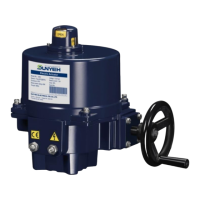
Quarter -Turn Electric Valve ActuatorOM Series Sun Yeh Ele. Ind. Co., Ltd. | 2021.11
OM Series
Quarter-Turn
Electric Valve Actuator
Operation Manual
SY01-C001E-EN

Other manuals for Sun Yeh Electrical OM Series

Questions and Answers

Sun Yeh Electrical OM Series Specifications

General IconGeneral
BrandSun Yeh Electrical
ModelOM Series
CategoryController
LanguageEnglish

Summary

1. General Information

1.1 Safety Instructions

Safety guidelines for installation, maintenance, repair, and operation.

1.2 Installation Notices

Crucial checks and precautions for actuator installation.

1.3 Inspection, Storage, and Transport

2. Product Overview

2.1 Key Features

Highlights of the OM series electric valve actuators.

3. Product Mechanical Data

3.1 Parts Identification

Visual identification of actuator components.

3.2 Technical Specifications

Detailed technical information including models, torque, and weight.

3.3 Mounting Base Details

3.4 Actuator Sizing

3.5 Duty Cycle

4. Mounting and Setup

4.1 Manual Device Installation

Step-by-step guide for installing the manual handwheel on the actuator.

4.2 Valve Mounting Instructions

4.3 Wiring Instructions

4.4 Actuator Setup and Adjustment

4.4.1 Setup Instructions

General instructions for setting up the actuator after mounting.

4.4.2 Adjustment Steps

Detailed steps for adjusting mechanical end stops and travel cams.

5. Optional Torque Switch

5.1 Instructions

Explanation of optional torque switch functionality and setup.

6. Modulating Control Board

6.1 Control Board Layout

Identification of components on the modulating control board.

6.2 Programming Overview

Basic programming concepts for modulating control functionality.

6.3 Dip Switch Settings (SW1)

6.4 Sensitivity Switch Settings (SW2)

6.4.1 Setting Adjustment

How to adjust the sensitivity switch for optimal performance.

6.4.2 Factory Settings

Default sensitivity switch settings for various models.

6.5 Signal Setting for Open;Close Position

6.6 Modulating Controller Troubleshooting

6.7 Modulating Board with MODBUS Function

6.7.1 Dip Switch Settings for MODBUS;Modulating

6.7.4 Travel Setting

6.7.5 Signal Setting

6.7.6 Time Delay Setting

6.7.7 Warning Message System

6.7.8 MODBUS Communication Setup

6.7.9 MODBUS Parameter Addresses

7. Troubleshooting

Motor Operation Issues

Solutions for motor not operating, overheating, or abnormal behavior.

Valve Operation and Indicator Faults

Solutions for valve operation failures, LED indicators, and capacitor issues.

Modulating Controller Issues

8. Product Warranty

9. Product Disposal