Document No. 8128000560
Software Revision – N1B (07 Oct 04)
7-50
RT-9000 B
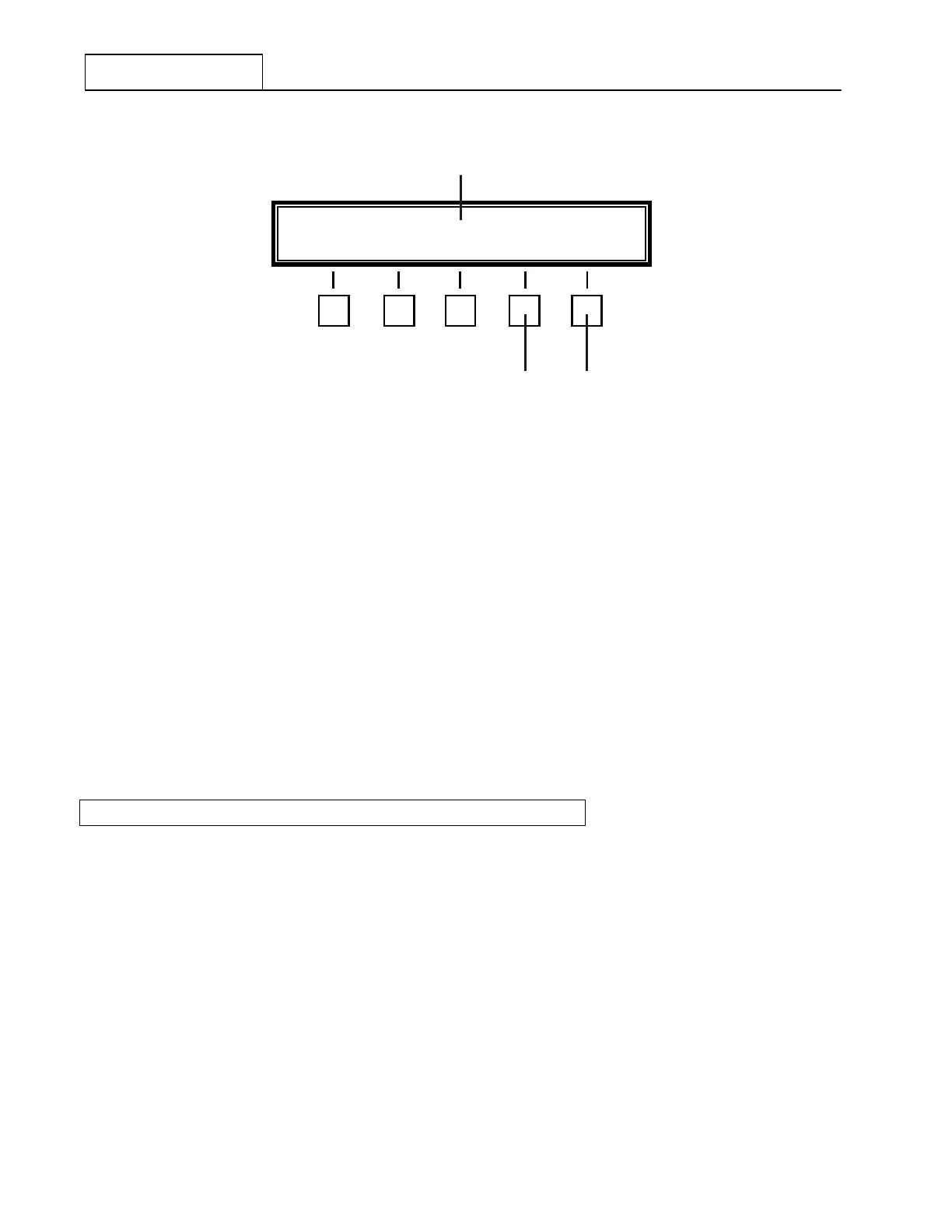
Figure 7.3.3.21 Control Address Entry Menu
Using the Numeric Keypad, key in the new two-digit Control Address. As the digits are entered, they will
appear at 3 in the Feature Menu display. Depress the 'ENTER' Key at 1 to enter and store this new
Control Address into the RT-9000 B ’ s memory. The Feature Menu display will revert to Figure 7.3.3.20 and
display the new Control Address.
NOTE: In systems where only one (1) RT-9000 B Transceiver is being
controlled by an RCU-9310 B , the Control Addresses must be set to the
SAME Control Address to function properly. Control Address ‘00’ is
usually used.
NOTE: Refer to RCU-9310 B Remote Control Unit manual for further details.
7.3.3.10 ‘CW’ FILTER AND KEY BREAK-TIME OPTIONS
To select or change CW Filter and/or Key Break-Time Options, the CW-Mode must first be selected. To do
this, depress the ‘MODE’ Function key successively until ‘CW’ Mode appears in the Operational Display. The
Feature Menu shown in Figure 7.3.3.22 will appear.
If the CW-Mode was already selected, momentarily leave ‘CW-Mode’ and immediately re-select it by
successively depressing the ‘MODE’ key until ‘CW-Mode’ re-appears in the Operational Display. The Feature
Menu shown in Figure 7.3.3.22 will appear. This menu will appear only after CW-Mode is selected.
USE KEYBRD ADDR-XX ENTER END
1 2
3


 To Next Page
 Loading...
