Document No. 8128000560
Software Revision – N1B (07 Oct 04)
7-53
RT-9000 B
7.3.4 ADVANCED OPERATIONS
This section addresses those features and functions that are specialized or invoke unique features of the RT-
9000 B Transceiver. These operations build on operating details presented earlier in this manual and require
an understanding of the referenced modems and/or peripherals.
7.3.4.1 RECEIVER SCANNING
The RT-9000 B has the ability to perform a rudimentary Receiver scanning function of all valid Pre-set
Channels or any block of Pre-set Channels between ‘0’ and ‘127’. The Operating Frequencies and other
essential settings are stored in Pre-set Channels as described in section 7.3.2.9 of this manual.
The RT-9000 B will scan all properly set up Pre-set Channels between the entered Start and Stop Channel
limits. If there is no currently Pre-set Channels set up between those limits, scanning will not start. If this
occurs, the User should inspect the Channel limits and Pre-set Channels and make appropriate changes.
Starting the Scan Process
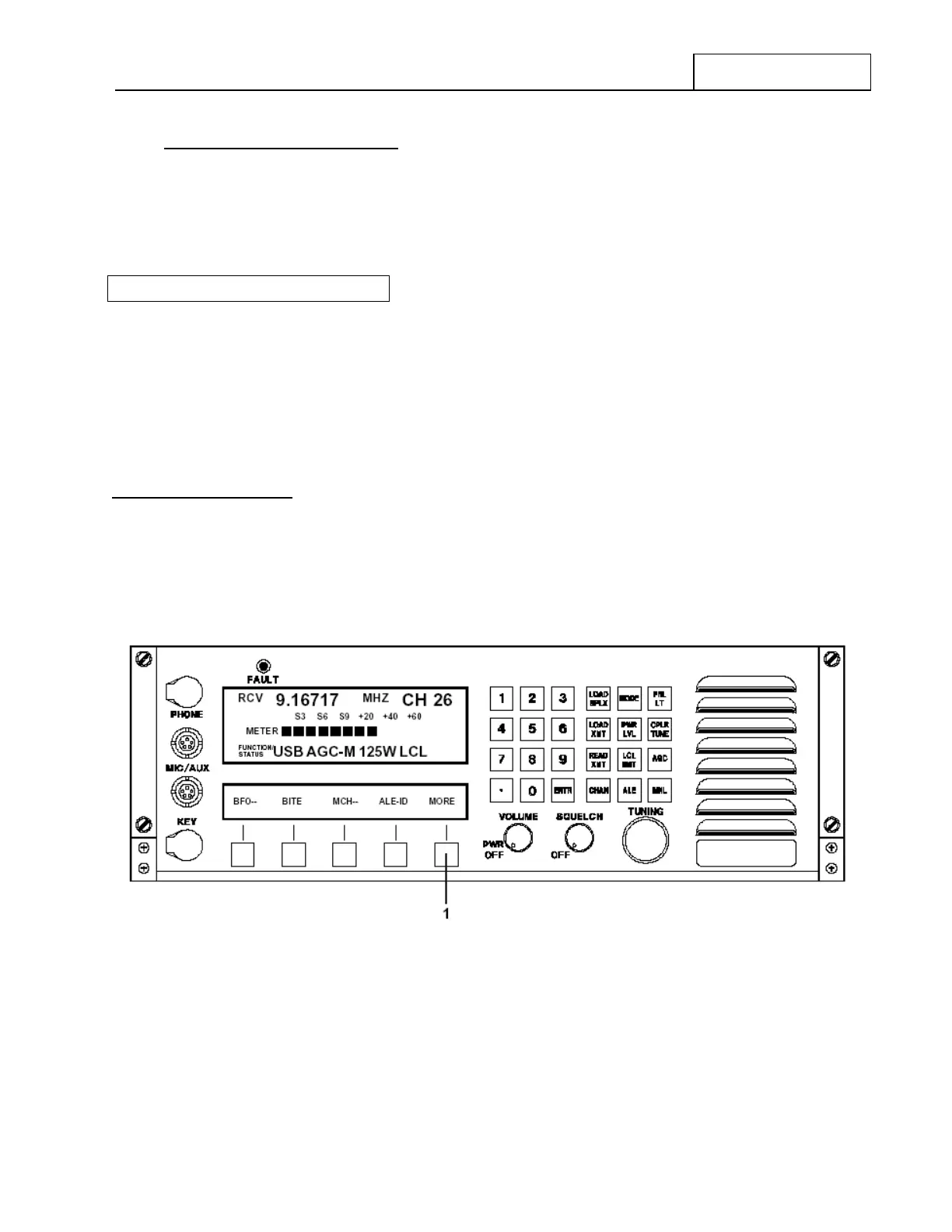
To start scanning a block of Channels, the RT-9000 B must be in the Pre-set Channel operating mode (refer
to section 7.3.2.7). The displays will appear as shown in Figure 7.3.4.1.
Figure 7.3.4.1 Pre-set Channel Mode Displays
Depress the Feature Menu ‘MORE’ key at 1 successively until the Feature Menu Display appears as shown
in Figure 7.3.4.2.
RT-9000 B


 To Next Page
 Loading...
