Document No. 8128000560
Software Revision – N1B (07 Oct 04)
7-55
RT-9000 B
Loading Start and Stop Channel Numbers
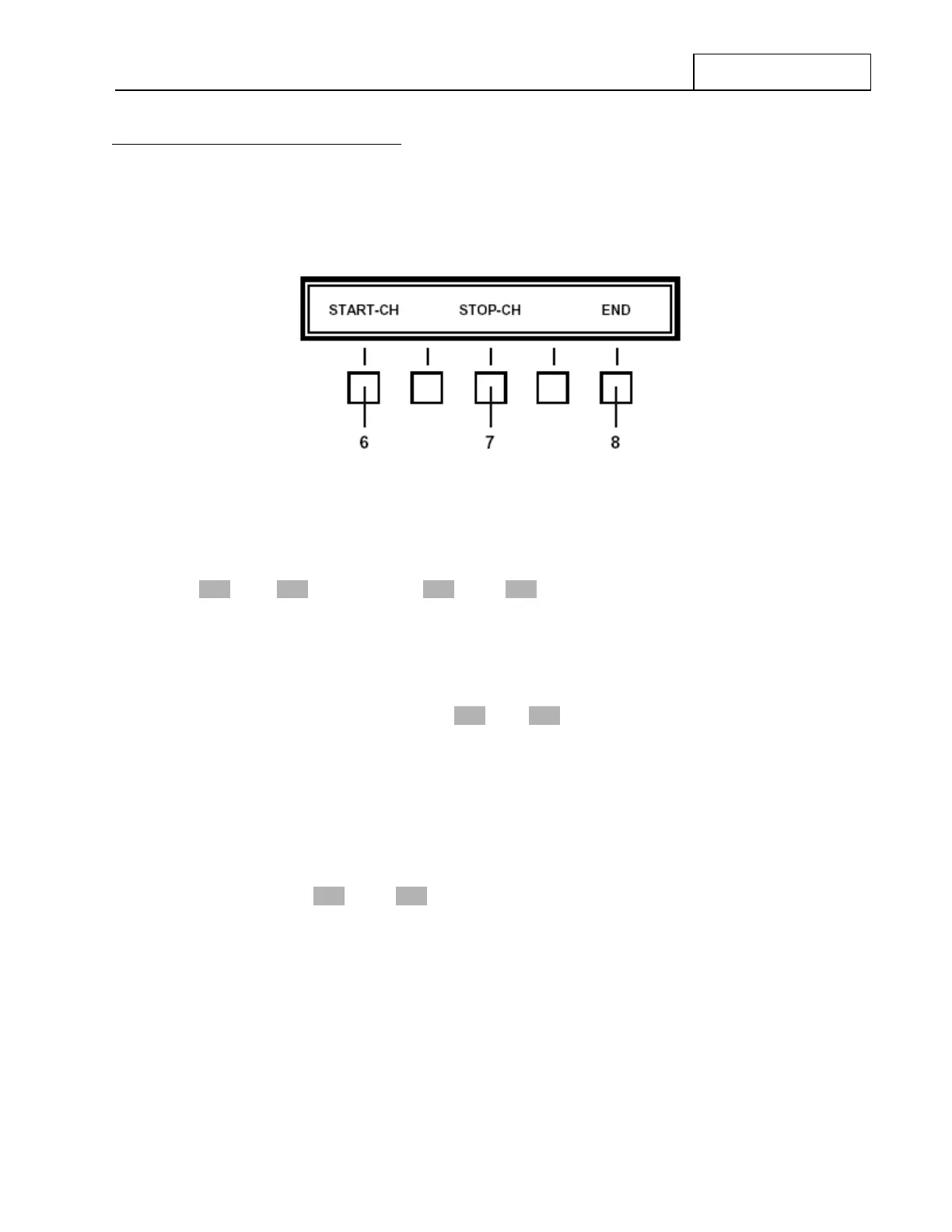
To Load a block of desired channels, depress the ‘LOAD’ key at 5 . The Feature Menu Display will change
to that shown in Figure 7.3.4.4.
Figure 7.3.4.4 Scan function ‘LOAD’ Feature Menu
The Operational Display will briefly display a ‘USE KEYB FOR NUMBERS’ message and then change to a
‘FROM CH XXX TO YYY” message. The XXX and YYY represent ‘Start’ and ‘Stop’ Channel Numbers.
Any Channel Numbers appearing in the ‘Start’ and ‘Stop’ positions when entering this set up process will be
those entered from the ‘SCAN’ feature’s previous use. Channel Number entries may be one, two, or three
digits long, as appropriate to the Channel Number’s digits. No leading zeros are required.
To select or change a Start Channel, depress the ‘START-CH’ Feature key at 6 . Key in the desired
Channel Number (0-127) using the Numeric Keypad at 9 . The newly selected Start Channel will be
displayed in the ‘XXX’ position of the ‘FROM CH XXX TO YYY” message at 10 . If a Stop Channel entry is
going to be also made, depress the ‘STOP-CH’ key. This action both enters the keyed-in Start Channel
Number into memory and also moves to Stop Channel selection process. Selection may proceed as
described later.
If the Start Channel is only being changed, depress the ‘END’ at 8 to leave this Feature Menu and return to
that shown in Figure 7.3.4.3.
To select or change a Stop Channel, depress the ‘STOP-CH’ key at 7 . Key in the desired Channel Number
(0-127) using the Numeric Keypad at 9 . The newly selected Stop Channel will be displayed in the ‘YYY’
position of the ‘FROM CH XXX TO YYY” message at 10 . If the user wishes to also change the Start
Channel, depress the ‘STOP-CH’ key. This action both enters the keyed-in Stop Channel Number into
memory and also moves back to Start Channel selection process. Selection may proceed as previously
described.
If the Stop Channel is only being changed, depress the ‘END’ at 8 to leave this Feature Menu and return to
that shown in Figure 7.3.4.3.
After Start Channel or Stop Channel selections are complete, the Start Channel must be lower than the Stop
Channel. If this is not requirement is not observed, a ‘START MUST BE LESS’ message will be displayed
briefly when using the ‘END’ key to exit this Feature Menu. This situation must be corrected before the
system will allow the User to proceed.


 To Next Page
 Loading...
