Document No. 8128000560
Software Revision – N1B (07 Oct 04)
7-58
RT-9000 B
To establish a new ALE Network and enter all required ALE IDs, complete the following steps and sections
7.3.4.2.2.1 through 7.3.4.2.2.4.
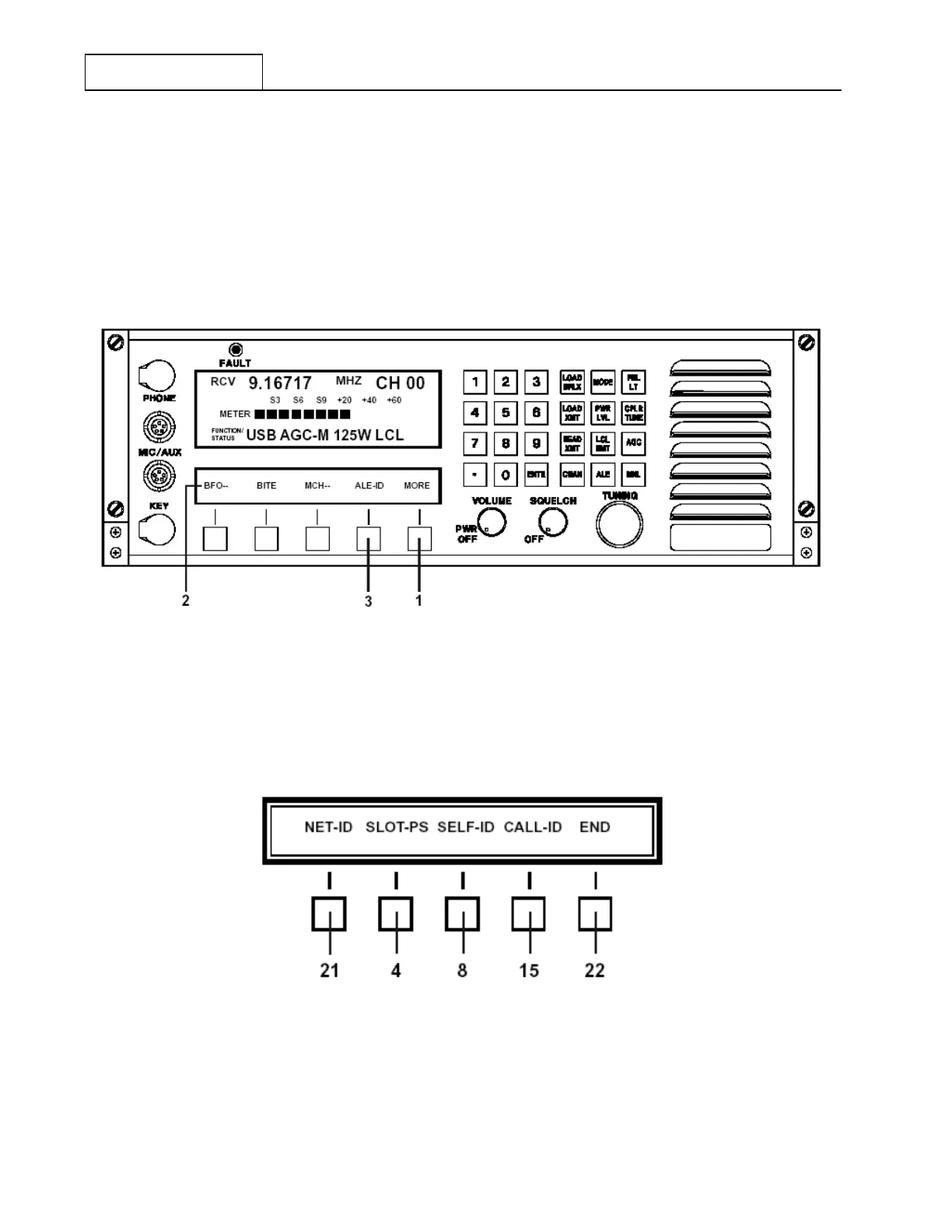
Depress the Feature Menu select key ‘MORE’ at 1 successively until the Feature Menu Display at 2
appears as shown in Figure 7.3.4.5. Depressing the ‘ALE-ID’ select key at 3 will cause the Feature Menu
shown in Figure 7.3.4.6 to appear.
Figure 7.3.4.5 Main Menu containing ALE-ID Selection
Figure 7.3.4.6 ‘ALE-ID’ Select Feature Menu
RT-9000 B



 To Next Page