Document No. 8128000560
Software Revision – N1B (07 Oct 04)
7-63
RT-9000 B
Depressing the ‘END’ key at 14 without
first depressing the Enter (‘ENTR’) key at 13 will also
cause the Feature Menu to revert to that shown in Figure 7.3.4.6 except any changes made during
this process will NOT be entered into the RT-9000 B ’s memory
7.3.4.2.2.4 Entering Network Station CALL IDs (Time Slot Position and Name)
Referring to Figure 7.3.4.6, depress the ‘CALL ID’ key at 15 . The Feature Menu and Operational
Display will change to that shown in Figure 7.3.4.12 and briefly display an ‘ENTER CODE WITH
DIAL’ message at 18. This message will automatically clear and be replaced with the following
display.
'C XX -- -- -- -- -- -- -- -- -- -- -- -- -- -- --'
A sequence of fifteen dashes (
-- --) or alphanumeric characters, representing a Network Station
CALL ID Name will appear following 'C XX'. Any combination of up to fifteen alphanumeric
characters may be used.
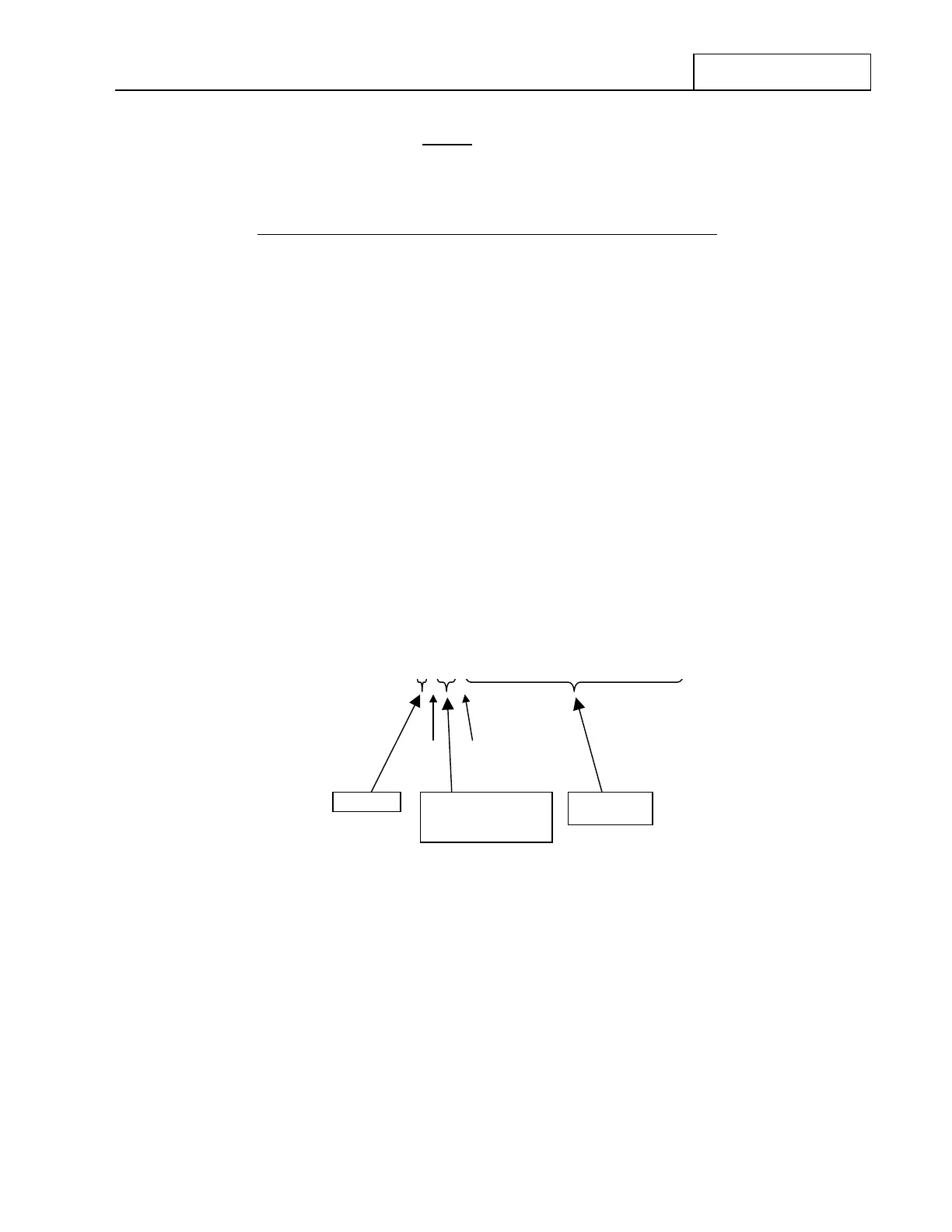
Figure 7.3.4.11 CALL ID Display Detail
Figure 7.3.4.11 indicates In this display the “C” indicates “CALL ID”, “XX” indicates a “CALL ID (Time
Slot Position) Number”, and the sequence of fifteen (15) dashes serves as placeholders for the
corresponding station CALL ID Name.
For new, unestablished ALE Networks XX = 01
For a presently set up ALE Network XX = Currently Selected CALL ID
(Time Slot Postion) Number
CALL ID
(Time Slot Position)
Number
CALL ID
Name
C XX -- -- -- -- -- -- -- -- -- -- -- -- -- -- --
“CALL ID”
space s
ace


 To Next Page
 Loading...
