6. Turning the power OFF
The power may be turned off by pressing the START/STOP switch.
7. Subsequent Measurements
If a subsequent measurement is required, turn off the power and turn it on
again. When the “0” is displayed, the meter is ready for measurement again.
Note: Please wait for about 10 minutes before repeating the measurement,
8. Automatic Power OFF Function
If this meter is left on after a measurement, it will turn itself off after about 1
minute. It may be turned off at any time by pressing the START/STOP switch.
If the unit was unable to make a measurement, “Err” will appear on the display.
Please wait 5-10 minutes before attempting another measurement, Review the
procedure for proper cuff placement, and try to remain as still as possible while
the measurement is taking place. If you have any problems please call customer
service l-800-621 -8854.
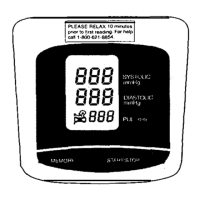
See the next section on description of display marks for additional information.
The monitor may have difficulty in determining the blood pressure
and /or heart rate of individuals with an extremely weak or
irregular pulse.
Page 5


 To Next Page