8
Switching the fan on
Place the fan on a flat level surface.
Insert the plug into a 230/240V power outlet
and turn the power on.
Press the power button
.
Press the fan speed button
to select
low, medium or high depending on your
preference.
1.
2.
3.
4.
Selecting a fan speed setting
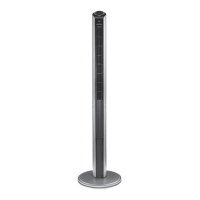
Your Sunbeam tower fan has 3 speed settings
as follows:
low speed “1” light illuminates
medium speed “2” light illuminates
high speed “3” light illuminates
To select a fan speed, simply press the fan
speed button
on the tower or the remote.
Each press of the button will increase the
fan speed and then return back to the lowest
speed again.
•
•
•
Switching the fan off
To switch the fan off, simply press the power
button
.
While the fan remains plugged in to the
power socket, the fan will remember your last
fan speed, oscillation and mode setting for
the next time you switch the fan on again.
If you will not be using the fan for a length of
time, it is advisable to turn the power off at
the wall socket and unplug the power cord.
•
•
•
Using Your Tower Fan


 To Next Page