11
Using Your Tower Fan continued
Using the remote control
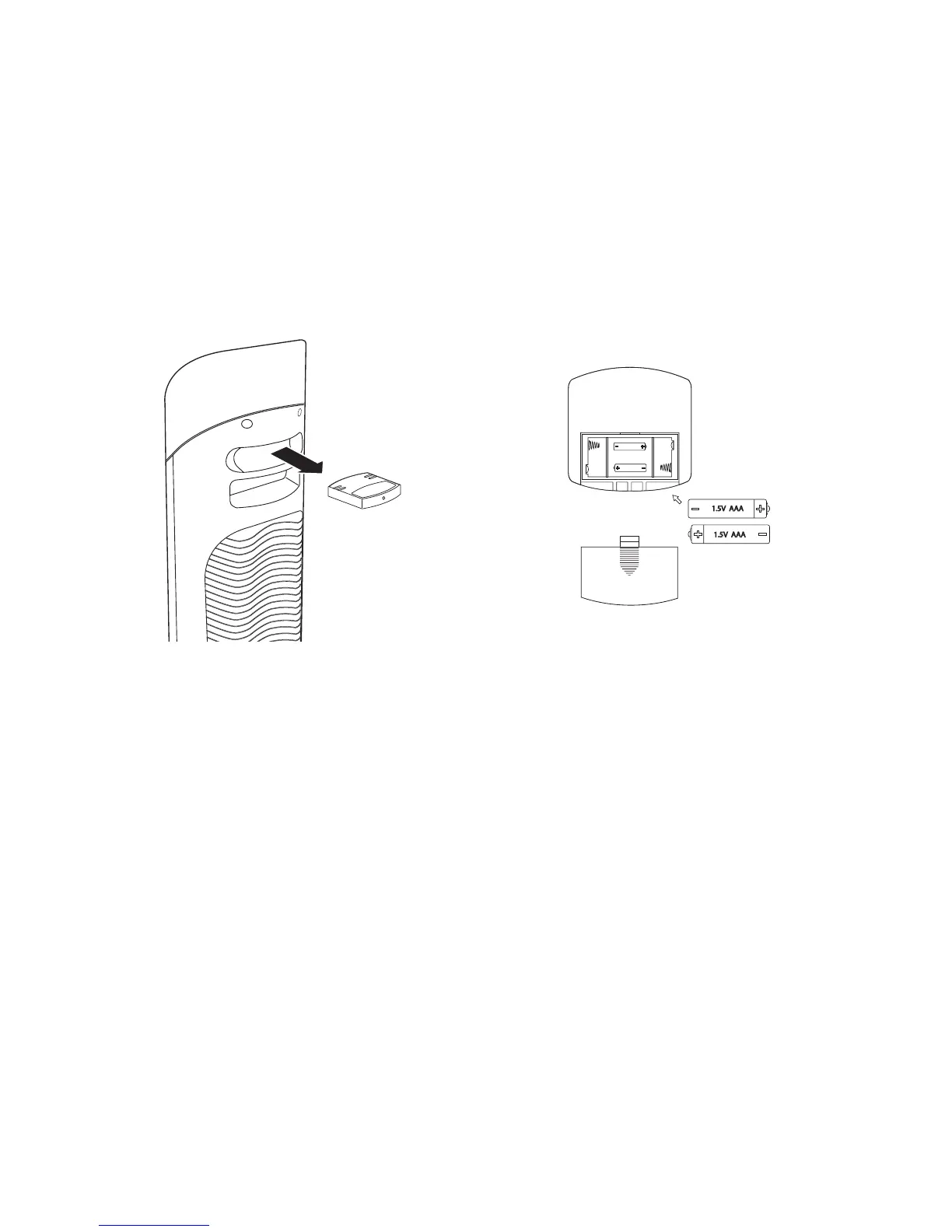
Remove the remote control from its compart-
ment at the rear of the tower as shown.
Point the remote towards the control panel
on the front of the tower to operate.
1.
2.
Changing the batteries
Slide the rear cover off the remote control
unit.
Replace the spent batteries with 2 fresh AAA
batteries as shown.
Replace the rear cover.
1.
2.
3.


 To Next Page