Thermostat knob
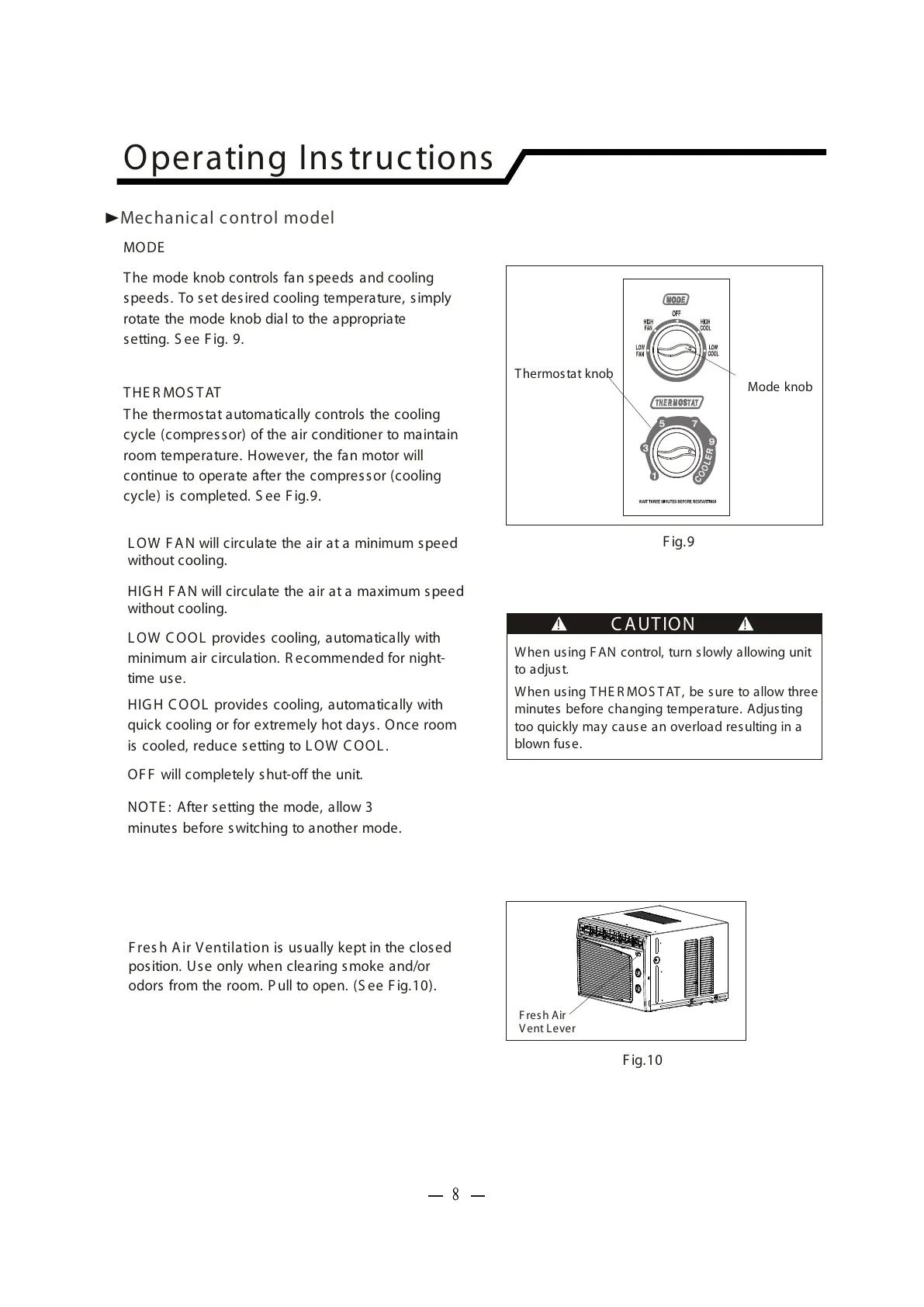
Mode knob
When us ing FAN control, turn slowly allowing unit
to adjust.
When us ing THE R MOS T AT , be s ure to allow three
minutes before changing temperature. Adjusting
too quickly may cause an overload resulting in a
blown fuse.
C A UT ION
! !
MODE
F ig.9
The mode knob controls fan speeds and cooling
speeds. To set desired cooling temperature, simply
rotate the mode knob dial to the appropriate
setting. S ee F ig. 9.
L OW F A N will circulate the air at a minimum speed
without cooling.
HIG H FAN will circulate the air at a maximum speed
without cooling.
L OW C OOL provides cooling, automatically with
minimum air circulation. R ecommended for night-
time us e.
HIG H C OOL provides cooling, automatically with
quick cooling or for extremely hot days. Once room
is cooled, reduce setting to L OW C OOL .
NOTE : After setting the mode, allow 3
minutes before s witching to another mode.
OF F will completely shut-off the unit.
THE R MOS TAT
The thermostat automatically controls the cooling
cycle (compres sor) of the air conditioner to maintain
room temperature. However, the fan motor will
continue to operate after the compress or (cooling
cycle) is completed. S ee F ig.9.
Operating Ins tructions
Mechanical control model
F ig.10
F resh Air
Vent Lever
F res h A ir Ventilation is usually kept in the closed
position. Use only when clearing smoke and/or
odors from the room. Pull to open. (S ee F ig.10).
8



 To Next Page