BEFORE FIRST USE
l
When turned on for the first time, your new iron may give off a slight odor for up to ten minutes.
This is due to the initial heating of the materials used. It is safe, not detrimental to the
performance of the product, and will not recur.
l
Prior to first use, clean steam vents using the Shot of Steam” feature.
After cleaning vents, run iron over an all-cotton cloth to remove any
residue.
l
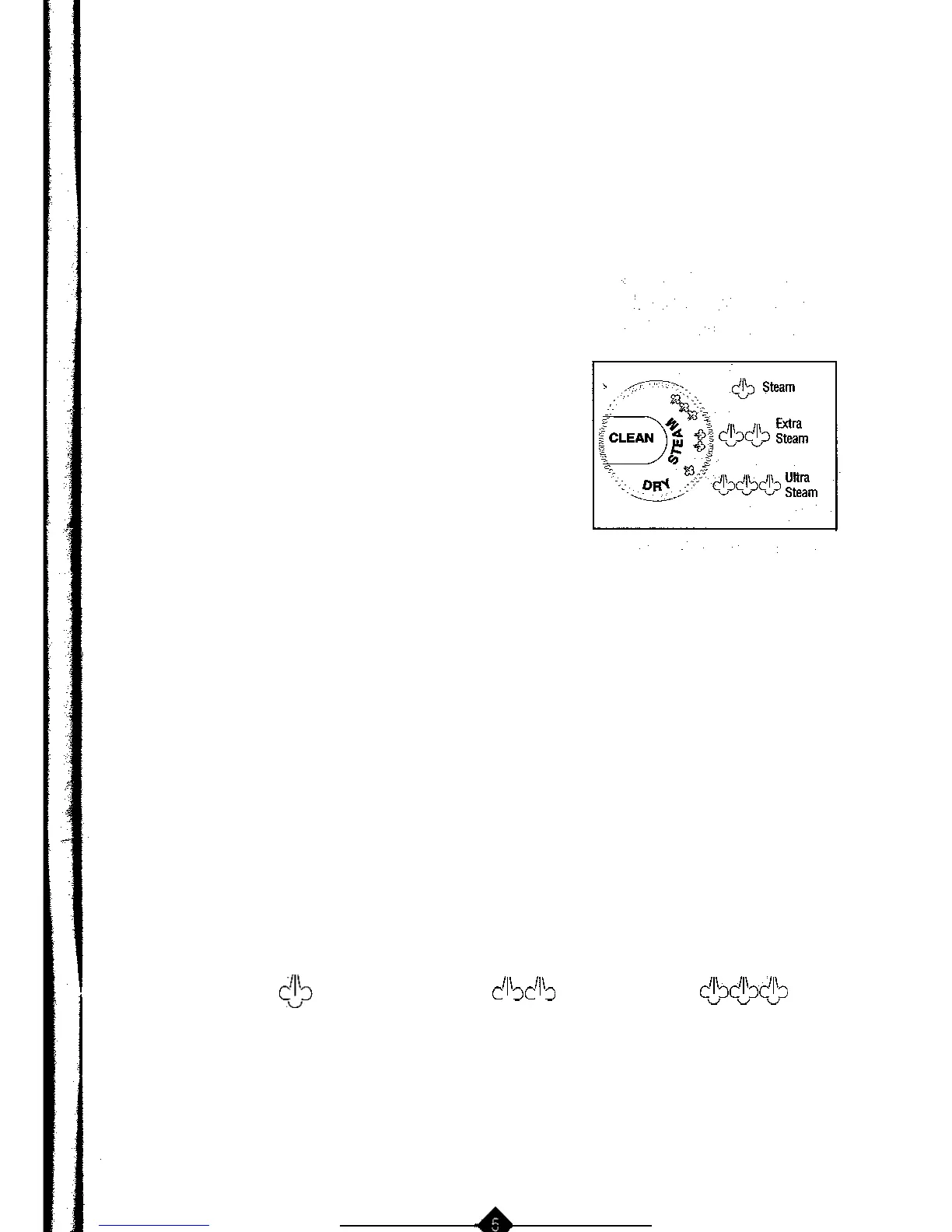
When not ironing, always have steam dial turned to DRY (See diagram)
INSTRUCTIONS FOR
USE
DRY
IRONING
*
Plug
the cord
into a 120 volt AC outlet. On units with
automatic shutoff, the auto off light will illuminate.
l
Turn the temperature dial to the desired setting
(refer to ironing Guide for recommended settings)
While iron is heating, place iron on heel rest on a
stable, protected surface.
l
Set the steam dial on DRY to prevent steam flow if
water IS
in
tne tank.
STEAM IRONING
l
Make sure
the plug is removed from the wall socket before filling the iron
with water.
l
Turn the steam dial
to DRY.
l
Place the iron on its heel and open the water reservoir cover. Pour water slowly into the
water reservoir. Fill up to
the maximum
water level. To prevent the risk
of
burns,
use caution when filling a hot
iron
with wafer. ‘Burns can occur from touching
hot
metal parts, hot water
or
steam. Push firmly to close the cover.
Note: Tap water
may be
used due
to the
special design of this iron. However, in areas with very hard water, distilled or
demineralized water
is
recommended.
l
Turn the temperature dial to any of the temperatures within the steam band and allow the iron
to heat for approximately 2 minutes before ironing. While heating, place iron on heel rest on a
stable,
protected surface.
l
Turn steam dial to
$3
for regular steam, or to
C’~‘&
for extra steam or
&&&
for ultra steam. Note: When using extra or ultra steam it may be necessary to fill the tank
more often.



 To Next Page