9
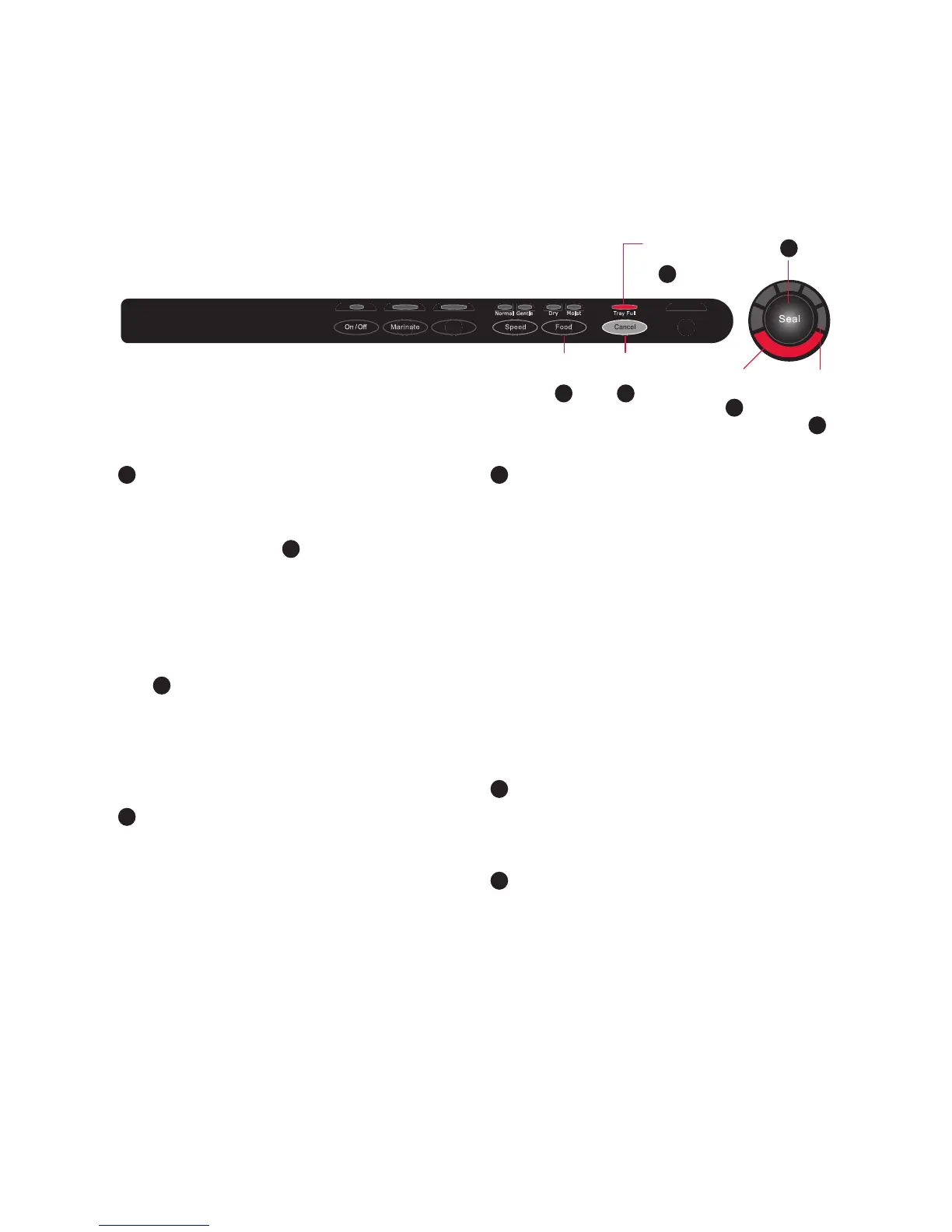
Control Panel - continued
Accessory
VS8000
Adjustable
Food Settings
Tray Full
Indicator
Seal/Stop
Button
Cancel
Button
Seal
Indicator
10
Vacuum
Progress
Display
9
8
2
76
6
Adjustable Food Settings Button
For optimal vacuuming and sealing of
moist or juicy foods, press the adjustable
Food Setting Button
6
until the Moist
Indicator Light is Illuminated. Choose the
dry food setting for foods without liquid.
The Moist Food Indicator light will flash
when Food Sealing Sensors automatically
detect any moisture or liquid in the drip
tray
0
.
Note: Appliance will default to Dry setting
upon pressing the Power Button or when
power has been interrupted, unless liquid
is detected in the Drip Tray.
7
Cancel Button
Immediately halts the current function
opening the Vacuum Channel.
8
Seal/Stop Button
CrushFree
™
Instant Seal Feature -
This button has three uses:
1. Press to immediately stop the vacuum
process and begin sealing the bag.
This prevents crushing delicate items
such as bread, cookies and pastries.
2. Press to create a seal when making bags
from a FoodSaver
®
Roll.
3. Press to create a seal on Mylar bags
(such as a potato chip bag) to keep food
sealed airtight.
9
Vacuum Progress Display
Displays vacuum levels as the bag/canister
is evacuated.
10
Seal Indicator Light
Constant Red light indicates sealing
process is engaged. Flashing light indicates
an error.


 To Next Page