20
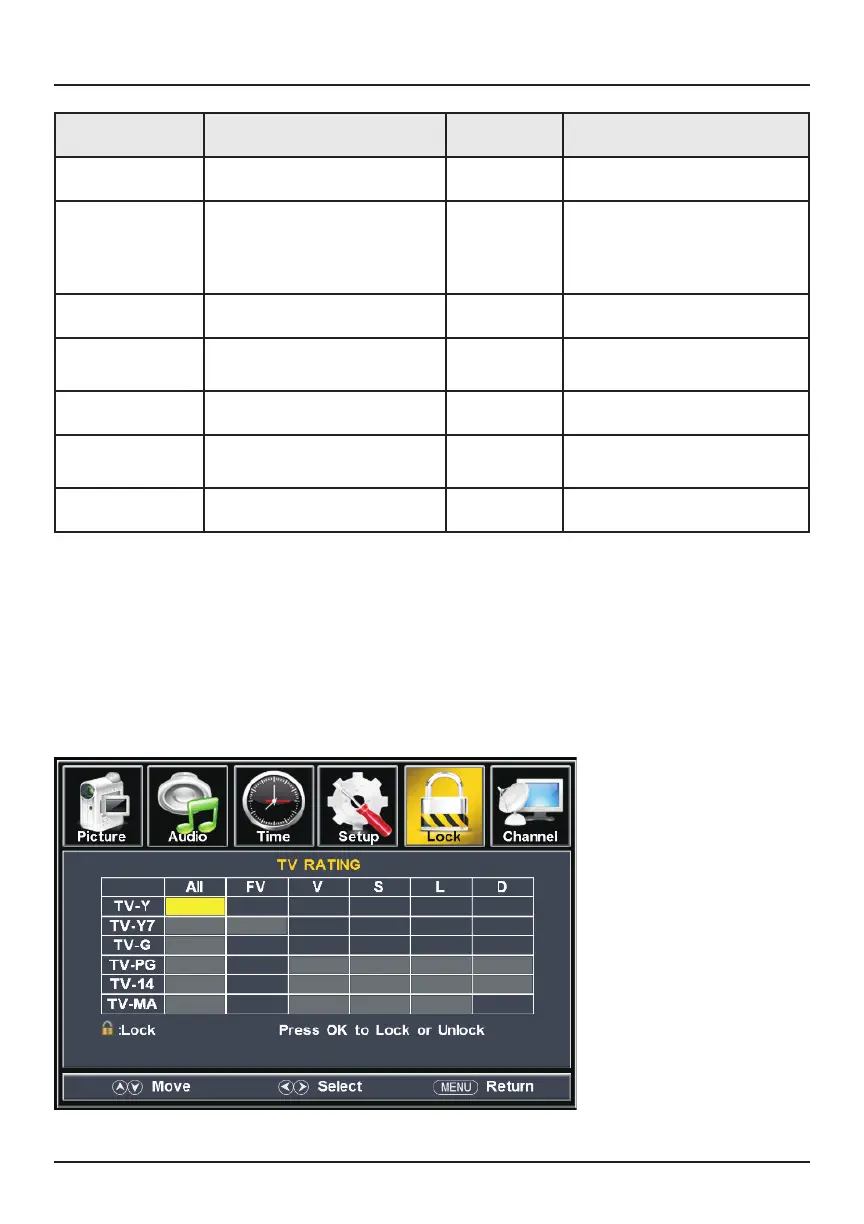
V-A. Lock Submenu (Lock > US >TV)
In this submenu, you may lock certain TV ratings of your choice. This will prompt you
to enter a password before you can proceed to watch certain programs.
To create locks, use the left/right directional keys to navigate through the options
below. Press OK/Enter to lock or unlock a TV rating.
Submenus
Item Options Default Function
Set Password Change the lock password.
System Lock Off / On Off Turn V-chip off/on. Turning
this option on allows you to
block programs based on
their ratings.
US
Select US program rating
Canada
Select Canadian program
rating
RRT Setting
Set Rating Region Table
Reset RRT
Reset Rating Region Table
settings
Clear Lock Clear all lock settings



 To Next Page