EasyManua.ls Logo

Sunfire Radio - User Manual

Sunfire Radio
60 pages
Print Icon
To Next Page IconTo Next Page
Loading...
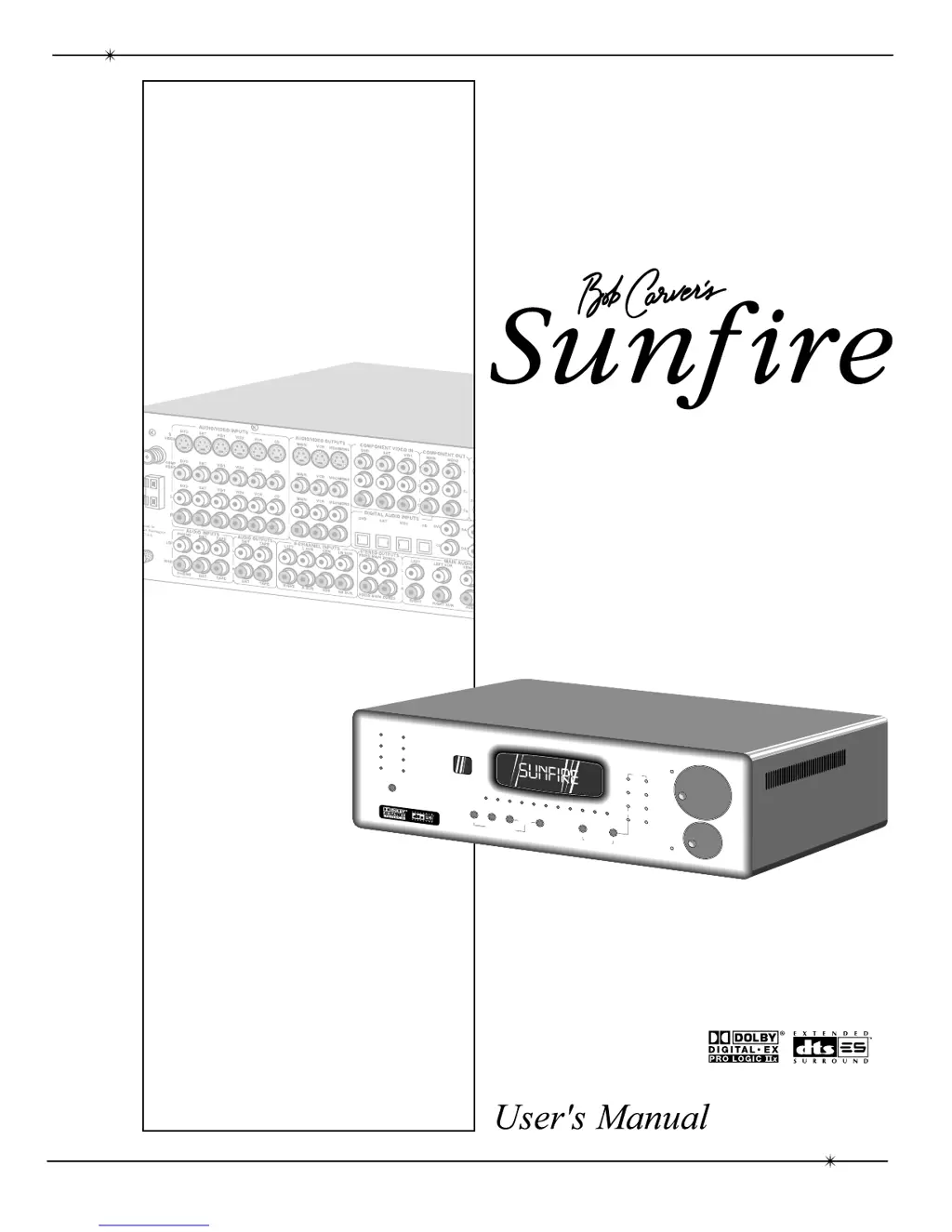
Ultimate Receiver II
Sunfire
L
E
V
E
L
1
2
3
4
5
6
7
8
9
0
+
1
0
U
P
D
I
R
E
C
T
A
M
/
F
M
D
O
L
B
Y
D
I
G
I
T
A
L
D
I
G
I
T
A
L
S
O
U
R
C
E
D
O
L
B
Y
P
R
O
L
O
G
I
C
I
I
x
D
T
S
S
I
G
N
A
L
P
R
O
C
E
S
S
I
N
G
S
I
D
E
-
A
X
I
S
H
O
L
O
G
R
A
P
H
I
C
I
M
A
G
E
Z
O
N
E
T
W
O
A
D
J
U
S
T
Z
O
N
E
T
W
O
P
O
W
E
R
P
O
W
E
R
M
A
N
U
A
L
T
U
N
I
N
G
D
O
W
N
M
O
D
E
S
E
L
E
C
T
U
P
D
O
W
N
U
P
R
O
T
A
T
I
O
N
Z
O
N
E
T
W
O
D
O
W
N
B
A
S
S
T
R
E
B
L
E
H
O
L
O
G
R
A
P
H
I
C
I
M
A
G
E
P
A
N
E
L
D
I
M
M
U
T
E
M
A
N
U
A
L
I
N
P
U
T
S
E
L
E
C
T
O
R
F
U
L
L
A
U
T
O
M
A
T
I
C
O
P
E
R
A
T
I
O
N
T
U
N
E
R
C
O
N
T
R
O
L
S
T
O
N
E
C
O
N
T
R
O
L
S
Ultimate Receiver
U
ltim
a
t
e
R
e
c
e
i
v
e
r
I
I

Questions and Answers

Summary

Safety Instructions

General Safety Precautions

Follow all operating and safety instructions, heed warnings, and ensure proper handling.

Environmental and Usage Precautions

Avoid water, moisture, heat, and ensure proper ventilation to prevent damage.

Power and Servicing Guidelines

Proper power connection, cord protection, and servicing by qualified personnel.

Electrical Safety Measures

Prevent shock by ensuring proper plug insertion and avoiding unauthorized access.

Grounding and Polarization Precautions

Ensure grounding or polarization means of the component are not defeated.

Antenna Grounding

Guidelines for proper antenna grounding according to NEC.

Portable Cart Warning

Use caution when moving carts to prevent overturning.

Chapter 1: Introduction

Unpacking and Features

Instructions on how to unpack the receiver and its main features.

Overview

How to operate the receiver using the remote and activate the On Screen Display.

Quick Start Guide

Step-by-step instructions to get the receiver set up and running quickly.

Front Panel Features

Detailed explanation of the controls and indicators on the receiver's front panel.

Rear Panel Features

Description of all the input and output connections on the receiver's rear panel.

Installation

Guidelines for choosing a location and general installation precautions.

Chapter 2: System Configurations

Analog Audio and Composite Video Connections

Diagram showing how to connect analog audio and composite video sources.

Digital Audio and Component Video Connections

Illustrates connecting digital audio and component video signals from a DVD player.

LD Connections: External RF Demodulator and S-Video

Shows how to connect an LD player using an external RF demodulator and S-Video.

VCR Connections: Analog Audio and Composite Video

Illustrates connecting a VCR for both playback and recording.

Turntable Connections

Illustrates connecting a turntable, including ground wire and phono input.

Output Connections

Details how to connect speakers and line-level outputs to amplifiers and subwoofers.

Zone 2 Connections

Explains how to connect speakers and IR sensors for Zone 2 audio playback.

Chapter 3: Remote Control

Remote Setup

Guide to programming the remote for other system components and customizing its functions.

PUNCH Function

Assigning volume and transport buttons to control specific devices.

LEARN Function

How to teach the remote to control other devices by learning their commands.

MACRO Function

Programming sequences of commands into a single button press.

Chapter 4: On Screen Display (OSD)

OSD Menus

Overview of the main OSD menu structure and navigation.

Trim and Tone Menus

Detailed explanation of Trim and Tone adjustments within the OSD.

Modes Menu

Options for Dynamic Range, Dolby Pro Logic, DTS Neo:6, Party, and Jazz Club modes.

Input Menus

Configuring individual input settings like name, gain, default mode, and triggers.

Speaker Size Menu

Setting speaker sizes (Large/Small/Off) for bass management and surround configuration.

Speaker Position Menu

Entering speaker distances for automatic delay time adjustment.

Speaker Calibration Menu

Adjusting individual speaker volume levels for optimal balance and performance.

Chapter 5: Using the Receiver

Bass Management

How the receiver manages bass frequencies to speakers and subwoofers.

Surround Modes for 2-Channel Sources

Explains STEREO, DOLBY PRO LOGIC, PARTY, JAZZ CLUB, and DTS Neo:6 modes.

Surround Modes for Multi-Channel Sources

Automatic selection and explanation of DOLBY DIGITAL, DTS, and their extended variants.

Tuner Operation

How to tune stations manually, directly, and set presets using the tuner.

Zone 2 Operation

How to enable, control, and connect speakers for Zone 2 audio playback.

Holographic Image

Explanation of the 3D sound enhancement process and its setup requirements.

Appendix

Speaker Placement

Guidelines for positioning front, center, and side speakers for optimal sound imaging.

The RS-232 Port

Details on connecting the receiver to a PC for software updates and external control.

Troubleshooting Guide

Solutions for common problems like no sound, poor output, poor tuning, and picture issues.

Remote Control Codes

Comprehensive list of codes for various audio, video, and cable box components.

Favorite Settings

A template to record custom OSD and system settings.

Specifications

Technical specifications for power output, video, tuner, audio, and physical dimensions.

Service Assistance

How to contact Sunfire for technical support and service inquiries.

Sunfire Radio Specifications

General IconGeneral
BrandSunfire
ModelRadio
CategoryRadio
LanguageEnglish