SunFounder PiDog Kit, Release 1.0
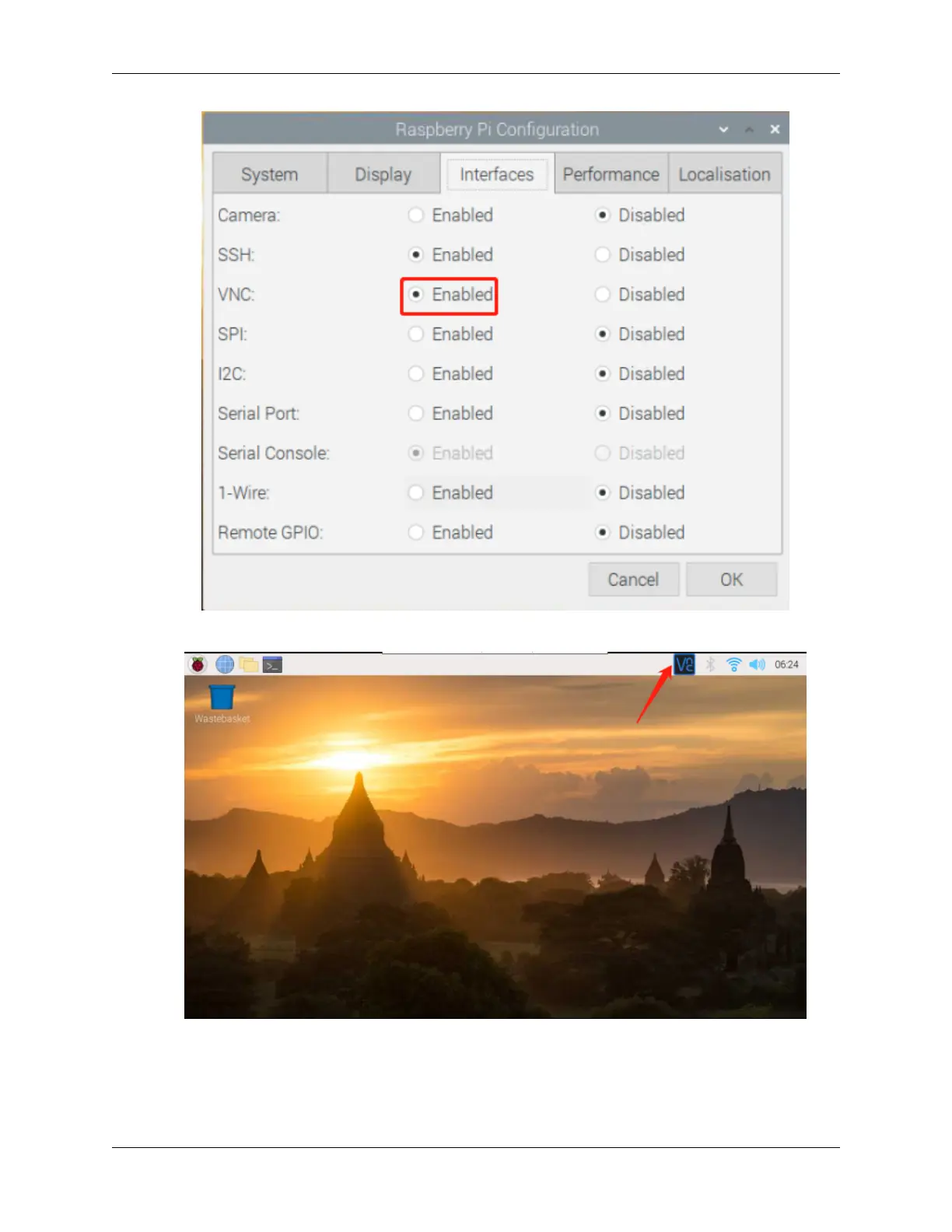
3. A VNC icon appears on the upper right of the screen and the VNC server starts.
4. Open the VNC server window by clicking on the VNC icon, then click on the Menu button in the top right
corner and select Options.
2.1. Quick Guide on Python 17



 To Next Page