SunFounder PiDog Kit, Release 1.0
Linux /Unix Users
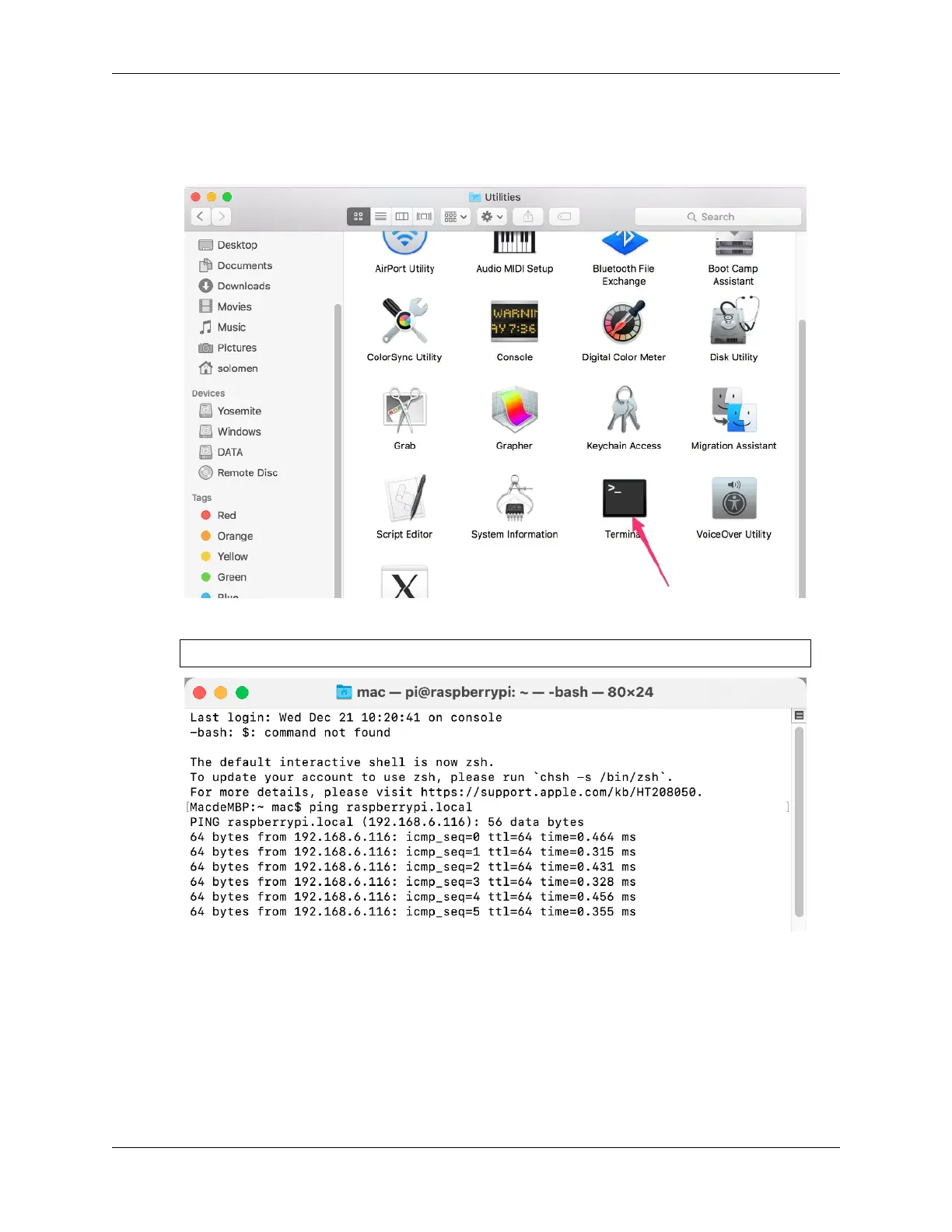
1. Go to Applications->Utilities, find the Terminal, and open it.
2. Check if your Raspberry Pi is on the same network by type in ping <hostname>.local.
ping raspberrypi.local
• If terminal prompts ping: cannot resolve <hostname>.local, it is possible that
the Raspberry Pi failed to connect to the network. Please check the network.
• If you really can’t ping <hostname>.local, try to Get the IP address and ping <IP
address> instead. (e.g., ping 192.168.6.116)
• If multiple prompts like 64 bytes from <IP address>: icmp_seq=0 ttl=64
time=0.464 ms appear, it means your computer can access the Raspberry Pi.
3. Type in ssh <username>@<hostname>.local (or ssh <username>@<IP address>).
32 Chapter 2. Play with Python



 To Next Page