49
MJPG-streamer
Introduction
The acquisition and transmission of video data by the SunFounder Smart Video Car
is fulfilled based on MJPG-streamer.
MJPG-streamer is a command line application that copies JPG-frame from a single
input plugin to multiple output plugins. It can be used to stream JPEG files over an
IP-based network from the webcam to a viewer like Firefox, Cambozola and
Videolanclient or even to a Windows mobile device running the TCPMP-Player.
It was written for embedded devices with very limited resources in terms of RAM
and CPU. Its origin, the "uvc_streamer" was written, because Linux-UVC
compatible cameras directly produce JPEG-data, allowing fast and performant
M-JPEG streams even from an embedded device running OpenWRT. The input
module "input_uvc.so" captures such JPG frames from a connected webcam.
Installation
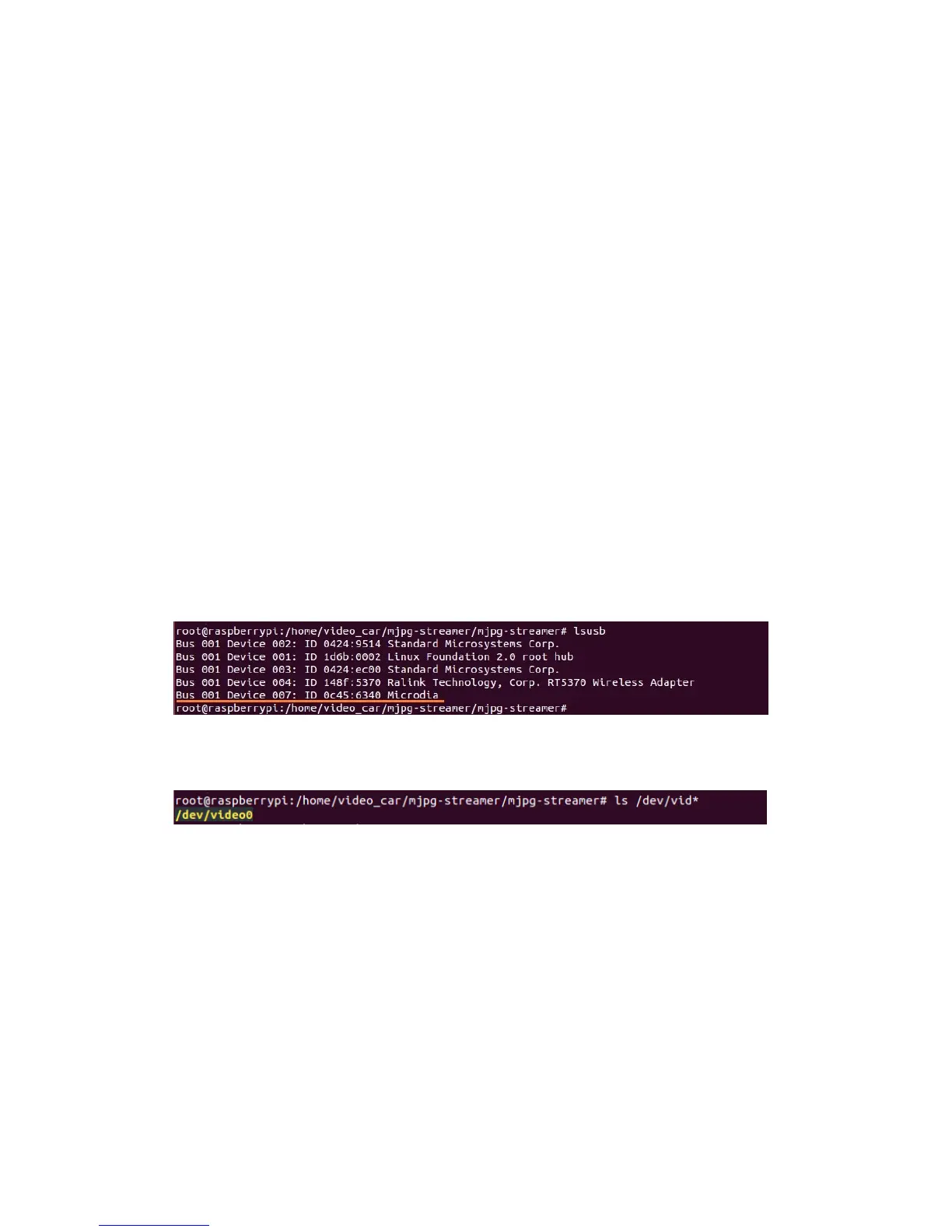
Plug the USB camera into Raspberry Pi, and run the command lsusb. The Microdia
represents the USB camera; since it is printed on the screen, it indicates the system
has recognized the camera.
Check whether the driver for the camera works normally:
ls /dev/vid*
If device node video0 is printed, the driver is in the normal state.
Then, install the following software needed:
sudo apt-get install subversion
sudo apt-get install libv4l-dev
sudo apt-get install libjpeg8-dev
sudo apt-get install imagemagick
Compile the source code of MJPG-streamer:
cd /home/Sunfounder_Smart_Video_Car_Kit_for_RaspberryPi/mjpg-stre
amer/mjpg-streamer
make USE_LIBV4L2=true clean all


 To Next Page