53
Then you can start calibrating. Before that, take out your package box and place it
vertically with the side face to the table. Put the car onside the box and keep it
balanced. The purpose is to keep the wheels of the car off the table.
By default, the front wheels should be directly pointed towards the front; the
camera on the tilt servo should be face up no matter what directions the pan servo
is pointed at. If not, you may adjust the directions in Raspberry Pi Smart Video
Car Calibration.
Start Calibration
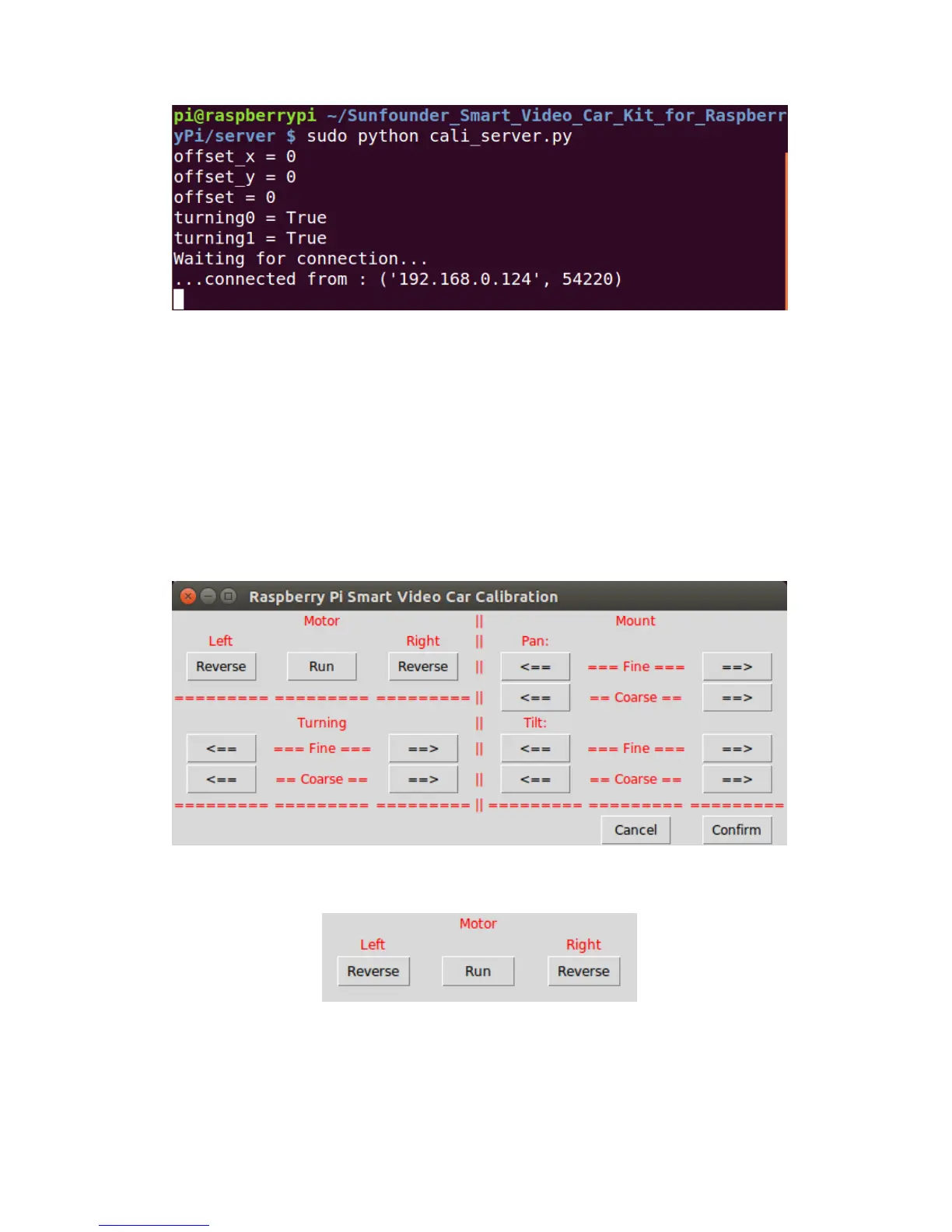
On the calibration UI there are three sections: Motor, Turning, and Mount.
Motor Adjustment
Click Run. The car will walk forward. Check whether both the back wheels move
forward together. If either fails to do so, your wiring may be wrong. But don't worry!
You don't need to rewire; just click the corresponding Reverse in Motor section of
the Calibration window shown above. After clicking, observe whether the wheel


 To Next Page