55
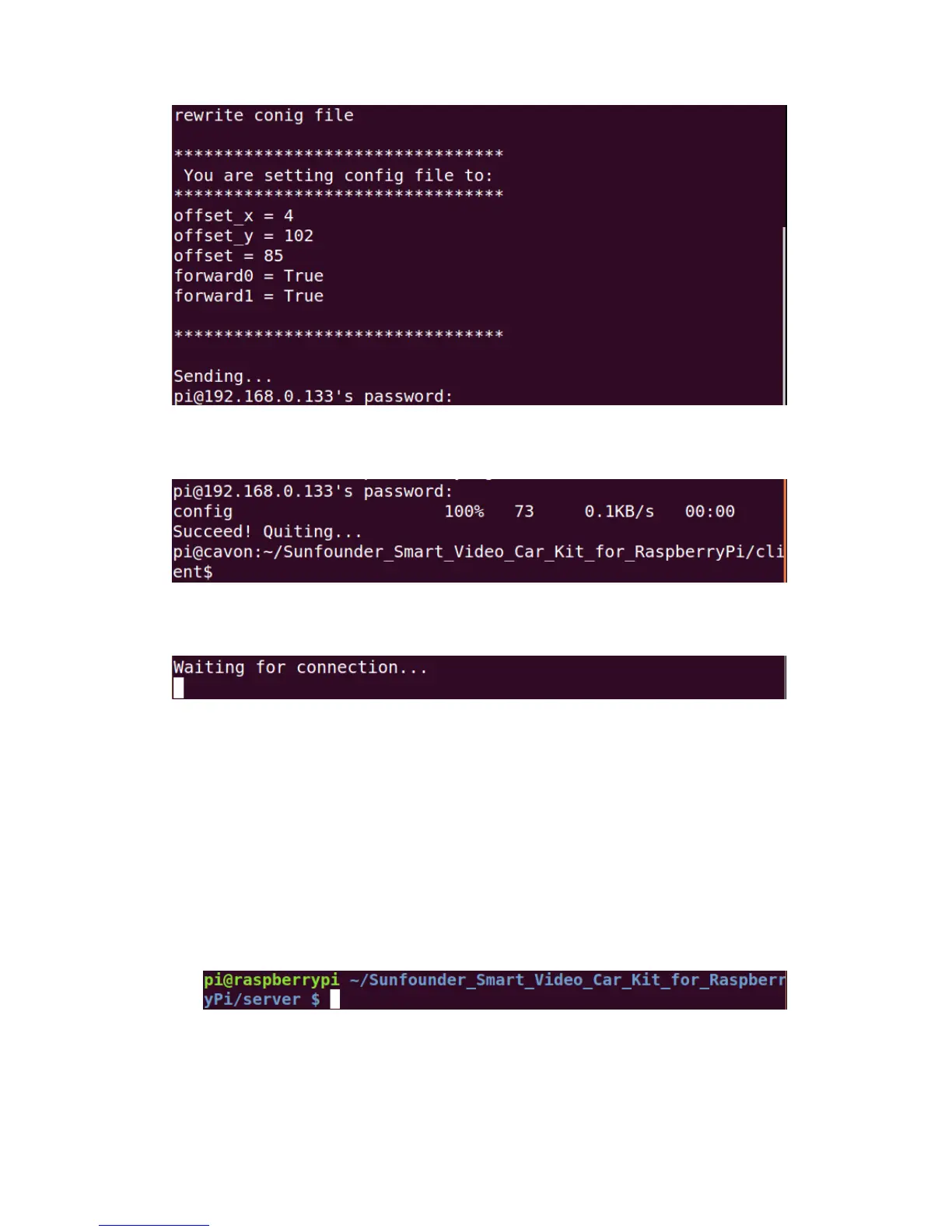
After the password is entered, the prompt message of config sent successfully will
be printed in the terminal.
And the program will exit.
Then the Raspberry Pi returns to the status: Waiting for connection...
Press Ctrl+C to exit.
Now your car is ready to GO!
Get on the Road!
You need three terminals open to run the car; here we name it Terminal 1,
Terminal 2, Terminal 3. Terminal 1 is to open tcp_server.py on the Raspberry Pi
as a server, Terminal 2 is to run web camera server on it, and Terminal 3 is to
open client_App.py on PC as a client to remote.
- In Terminal 1
The Raspberry Pi may be still at the server directory
If not, go to the directory with cd and run tcp_server.py:
sudo python tcp_server.py
The server program on the Raspberry Pi will be running and waiting for the
client to connect to the Raspberry Pi.


 To Next Page