How to send photos to the
Cloud Frame?
5
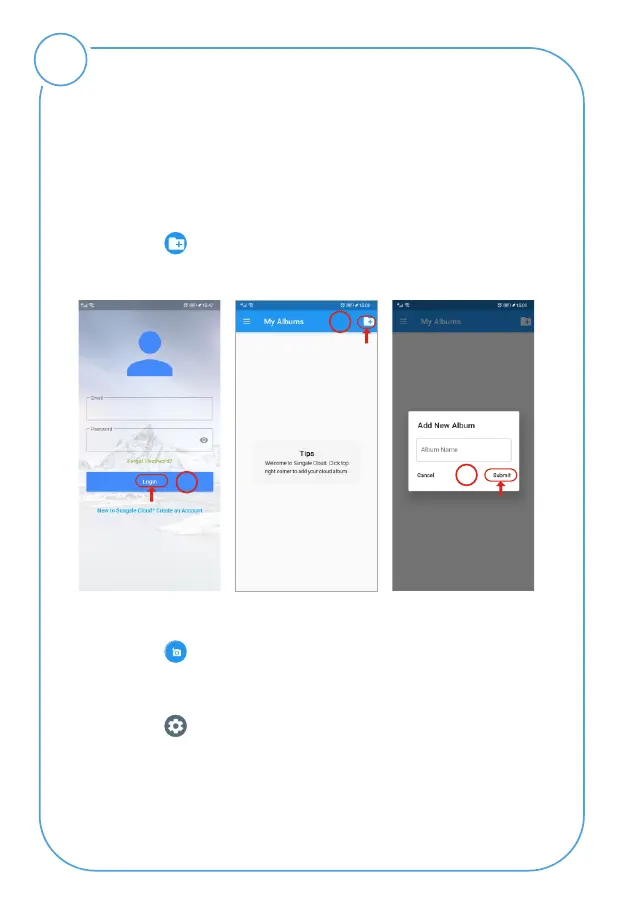
Step 1: Login into your account.
Step 2: Tap icon from the upper right hand corner.
Step 3: Input the album name and tap "Submit" button.
Step 4: Select the Album you want to add photos to.
Step 5: Tap icon to choose photos from your phone.
Step 6: After selecting the photos, tap "Upload Photos"
to upload photos.
1
Step 7: Tap icon then tap "Push to Cloud Frame",
Now the cloud album you pushed will appear on your
cloud frame shortly.
Open the "Sungale Cloud" App, input your account and
password to log in.
2
3



 To Next Page