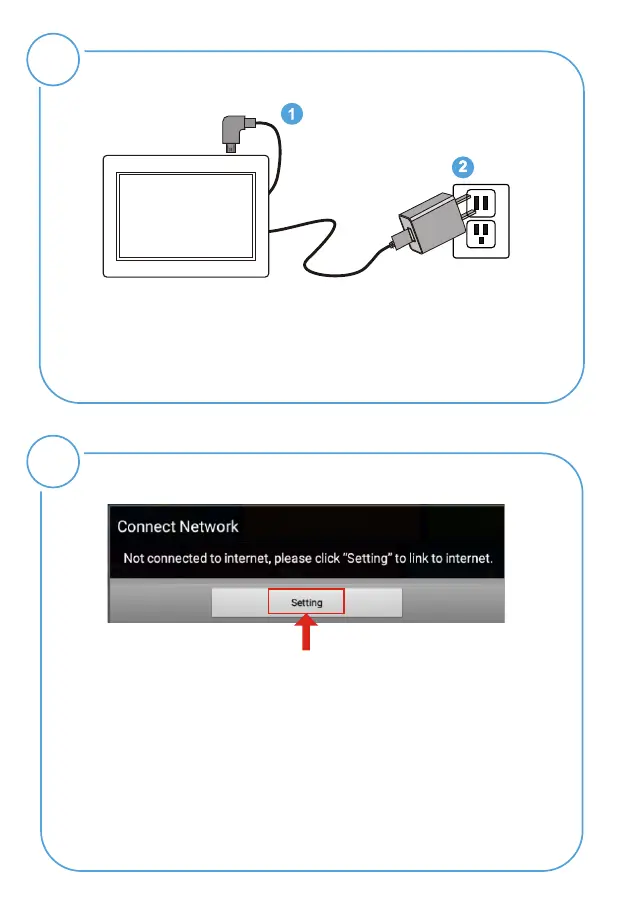
Connect Power
2
Plug the Power Adapter into the frame and also into a
power outlet.
Once connected to power, the frame screen should
automatically begin booting up.
Link Wi-Fi
3
After power on, move your remote control, and you'll see
a black triangle cursor appear on your frame screen, please
use the remote control to operate. Please follow screen
prompt to connect to Wi-Fi.
Step 1: Click "Settings" button on the prompt.
Step 3: Select your network, put in your password, and then
click "connect".
Step 2: Select the WiFi button to the "ON" position.



 To Next Page