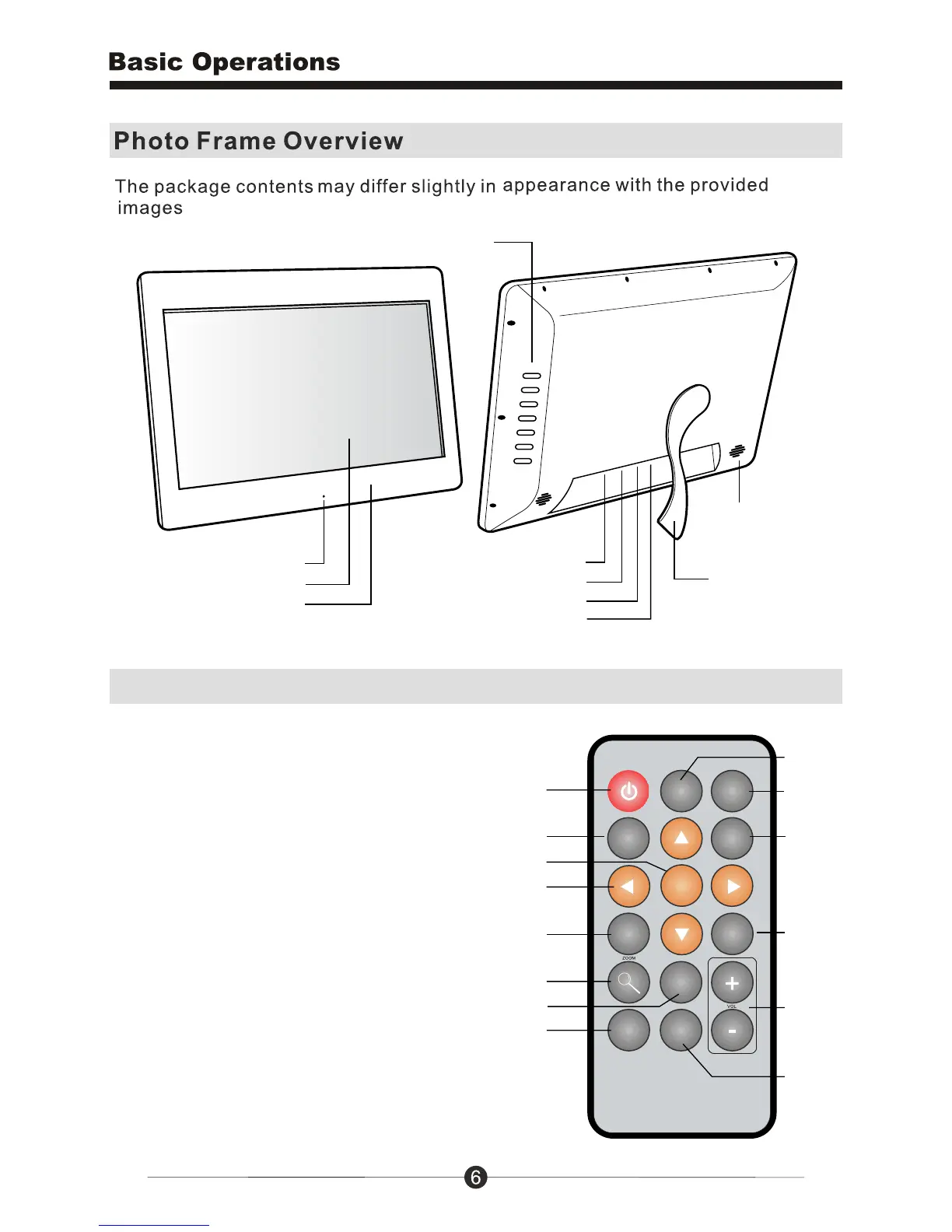
Menu Buttons
14” LCD Screen
Quality Glossy Black Frame
Power Button
Frame Stand
Speakers
LED
SD / SDHC Card Slot
USB 2.0 Ports
Power Adapter Port
Remote Control
MUSIC
EXIT
MENU
ENTER
OSD
VIEW
ROTATE
16:9/4:3
STEP
SHOW
SLIDE
SHOW
1
9
2
3
12
4
10
8
13
14
11
5
7
1. Power On / Off
2. SlideShow
3. Enter
4. Up, Down, Left, Right Arrows -
Use arrow keys to navigate your way
throught various menus
5. Exit - Returns to the previous menu
6. Zoom
7. OSD - On Screen Display
8. View
9. Aspect Ratio - 16:9 / 4:3
10. Music
11. StepShow - Advance to next photo
12. Rotate
13. Volume + / Volume -
14. Menu - Takes you to the main menu



 To Next Page