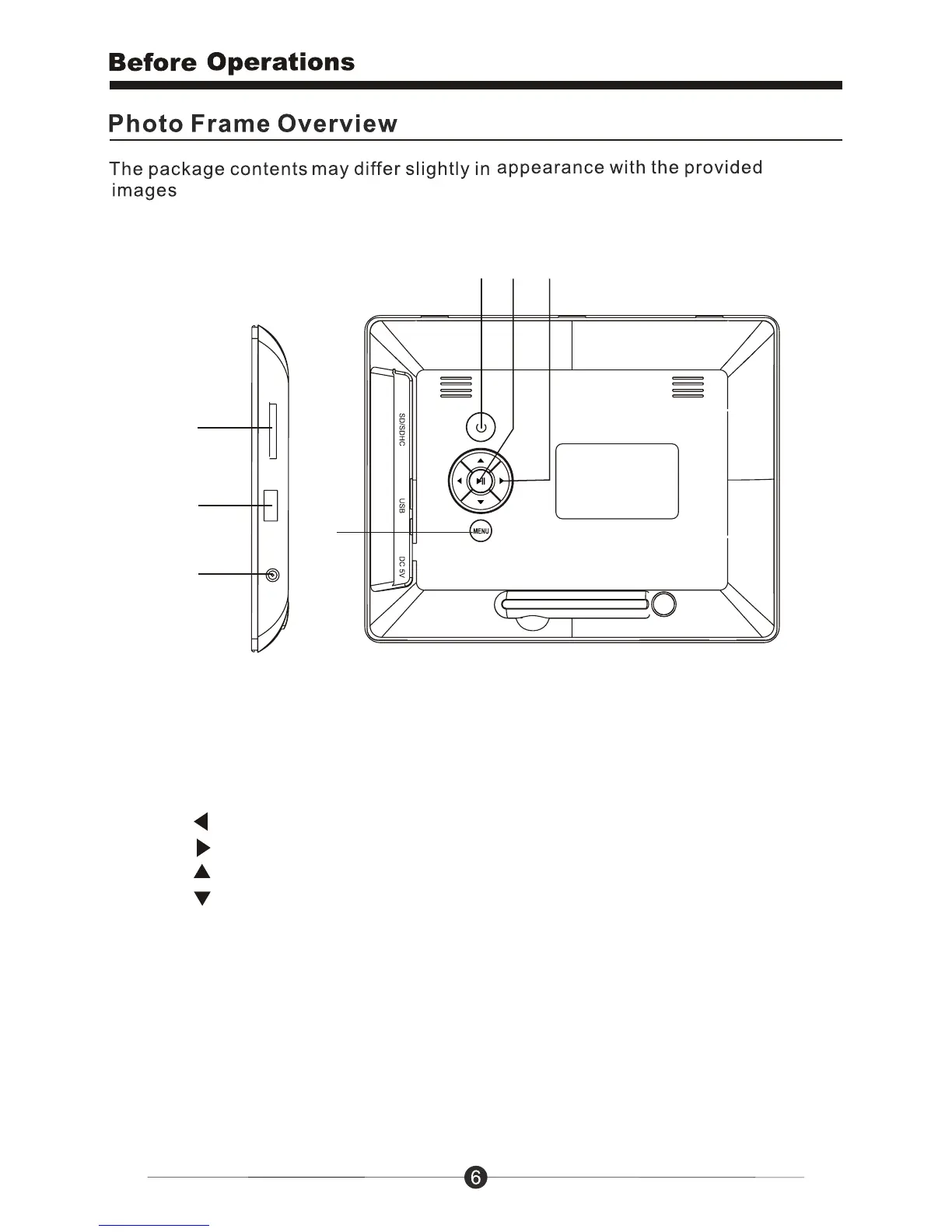
1. Power: Press to turn on or turn off the DPF player.
2. Play / Pause: Press to enter / confirm; Press to pause when slideshow pictures
and press again to continue slideshow.
3. Navigation button
5
6
7
123
4
0
Press to move left ( rotate a picture by left 90 when browser mode).
0
Press to move right ( rotate a picture by right 90 when browser mode).
Press to move the cursor to the previous icon or skip to the previous picture.
Press to move the cursor to the next icon or skip to the next picture.
4. Menu: Back to last step.
5. SD/SDHC: Insert one of the SD/SDHC cards each time.
6. USB: Insert a USB flash stick.
7. 5V DC IN: Insert the power adaptor cord to connect the unit with power outlet.



 To Next Page