11
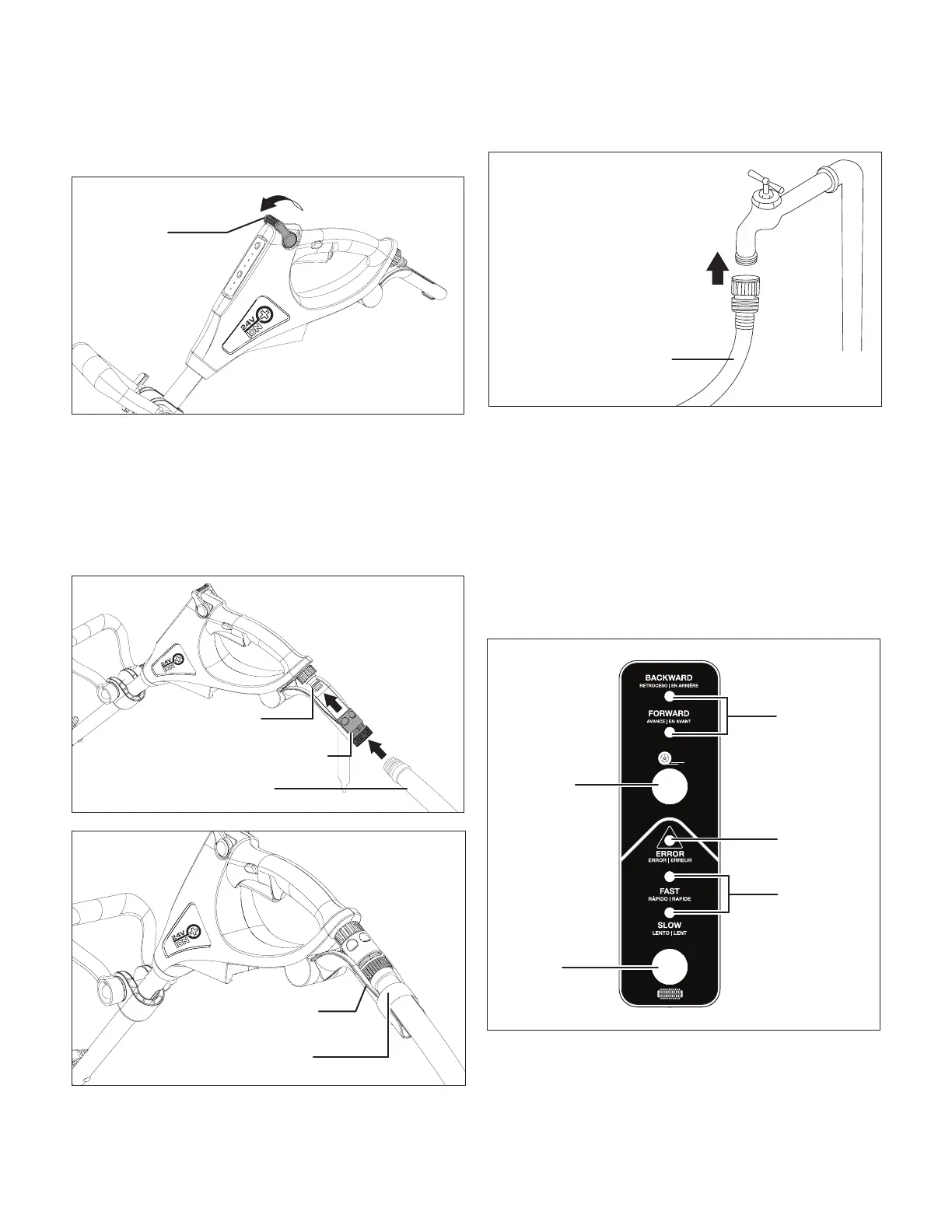
1. Before connecting to water source, make sure the water
ow regulation valve is set to the minimum setting
(Fig. 7).
2. First, connect the patio cleaner with the provided garden
hose adapter. Pull down the collar of the garden hose
adapter and t it onto the water inlet adapter. Release
the collar to lock the adapter in place. Then connect the
garden hose to the garden hose adapter. Twist tightly to
secure (Fig. 8). Rest the garden hose on the garden hose
supporter, and use the Velcro band attached to the hose
supporter to x the garden hose in place (Fig. 9).
3. Attach the other end of the garden hose to water supply
(Fig. 10).
mWARNING! Keep hose away from sharp objects.
Bursting hoses may cause injury. Examine hoses regularly and
replace if damaged. Do not attempt to mend a damaged hose.
mWARNING! Water that has owed through back ow
preventers is considered to be non-potable.
Operation
Control Panel (Fig. 11)
1. Direction control – Use the direction control button and
indicators to set the appliance to move forwards or move
backwards. The appliance is default set in forward mode.
Fig. 7
Waterow
regulation valve
Fig. 8
Water inlet
adapter
Garden hose adapter
Garden hose
Fig. 9
Garden hose
supporter
Velcro band
Fig. 10
Connect to water supply
Garden hose
Fig. 11
Direction
control
button
Direction
control
indicators
Speed
control
indicators
Error
Indicator
Brush
speed
control
button


 To Next Page