ANDROID CONTROL PAD & SUNLIGHTEN APP GENERAL OPERATING INSTRUCTIONS
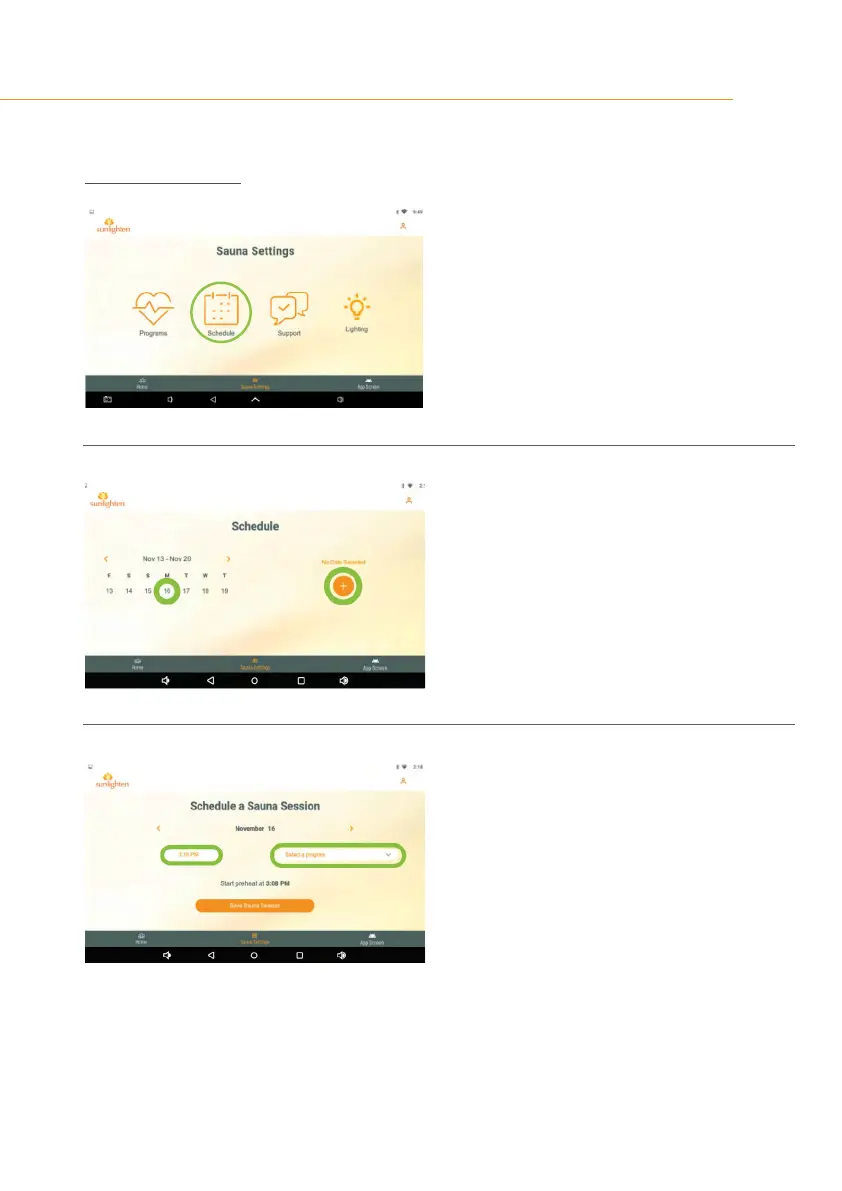
SAUNA SETTINGS
16
SCREEN 24
SCHEDULE A SAUNA SESSION
•
Tap on schedule icon in Sauna Settings to set
schedule your sauna session.
SCREEN 25
•
Select the desired date from the calendar on
the left.
•
Tap the plus icon on the right.
SCREEN 26
•
Select the desired time.
•
Select the desired program.









 To Next Page