6
EXERCISE COMPUTER
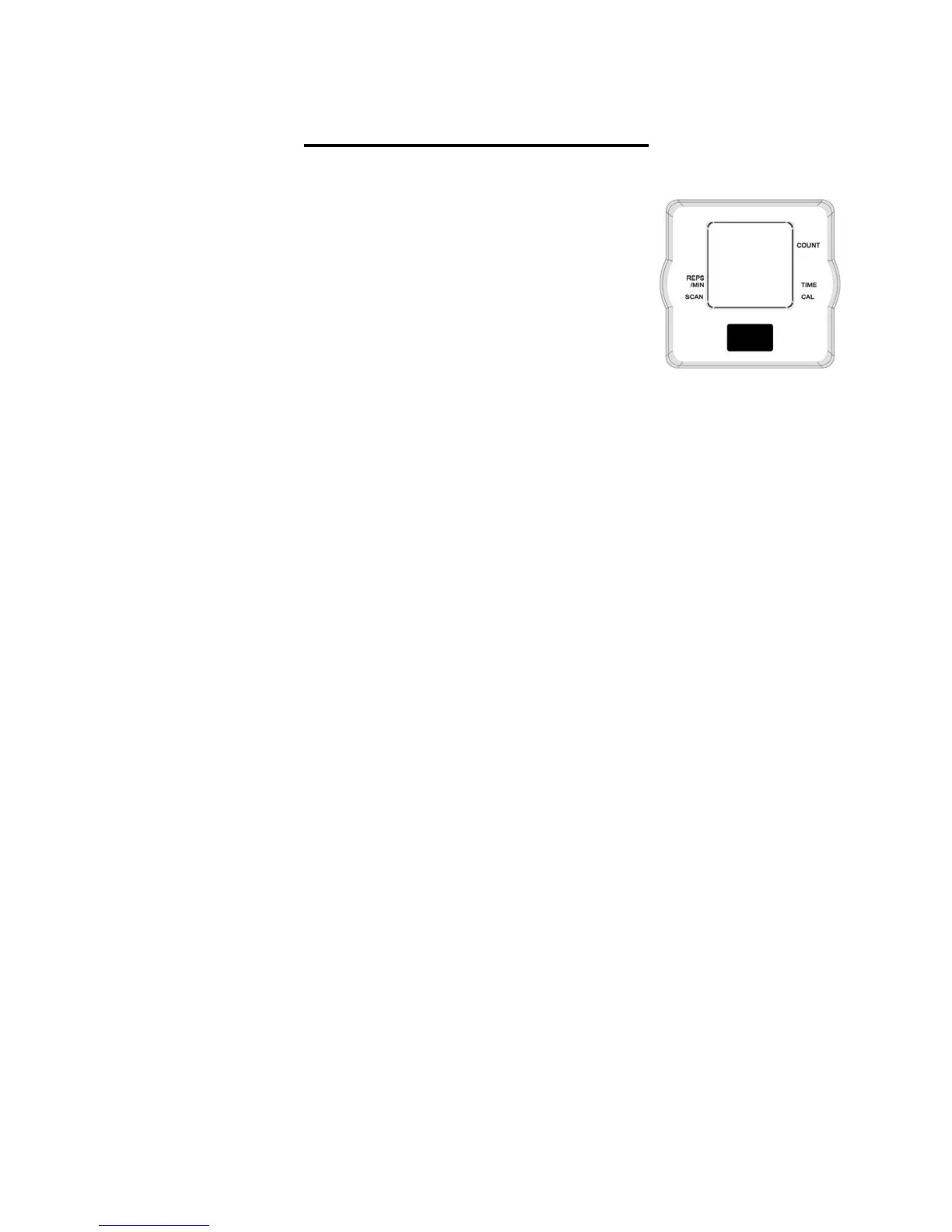
MODE: Press the MODE button to select a function. (Time,
Rep/Min, Count, Calorie and Scan).
If the steps of the machine are put into motion, or the mode button is pressed the
computer will become active, and shall remain active while either of these two things
continue to be done, however without any signal for approximately 4 minutes, power
(computer), will turn off automatically.
2. RESET:
The computer can be reset by pressing and holding the mode button for three seconds,
removing the batteries will also reset the computer and return all function settings back
to zero.
3. MODE:
To select the LOCK MODE setting press the MODE key when the pointer on the
function you wish to select begins to blink, (once locked only the selected function will
be displayed).
4. FUNCTIONS:
TIME: Counts the total time of an exercise from start to finish.
CALORIES: Counts the amount of total calories burned during an exercise from start to
finish.
COUNT: Automatically accumulates the count of steps made during exercise sessions.
REPS/MIN: Automatically displays the count of steps per minute.
SCAN : Press the MODE button to until the indicator arrow points to SCAN once on
SCAN the indicator arrow will continue to flash indicating that SCAN mode is active,
afterwards it will automatically scan through each function in sequence.
Note:
1. If you have an inaccurate reading on the monitor, please replace the battery
immediately. (See instructions below)
2. Please use (1) LR44, 1.5V battery.
3. The monitor is auto-powered. It turns on when exercise begins, and it turns off when
no movement is made between 4 to 5minutes.
4. All functions will automatically stop calculating when STOP appears in the upper left
corner of the display monitor. This occurs when there is no signal for a period of 4
seconds. Once the exercise begins again, the meter will automatically start
recalculating and the STOP will disappear.


 To Next Page