Need help?
Do you have a question about the Sunpin PD101 and is the answer not in the manual?
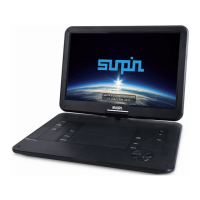
Identifies and describes the buttons, ports, and features of the portable DVD player unit.
Details the buttons and functions of the remote control used with the DVD player.
Instructions for turning the portable DVD player on and off using the power switch.
How to switch between DVD, USB, and SD card input sources on the player.
Steps for inserting and playing DVD or CD discs, including stopping playback.
How to adjust the volume level using the player or remote control, including muting.
Guide to using the A-B repeat feature for looping specific sections of playback.
How to select different subtitle languages available on a DVD.
How to view playback information like format, time, and chapter during playback.
Instructions for playing files from a USB flash drive, including capacity limits.
Steps for inserting and using SD/MMC memory cards for playback.
Instructions on how to rotate the player's screen.
Guide for connecting the DVD player to a television for output.
How to connect the player to a power source using the AC adapter or car adapter.
Overview of the six items available in the general setup menu.
Options for adjusting the screen aspect ratio (4:3, 16:9).
How to set the on-screen display language.
How to turn closed captions on or off for DVD playback.
How to enable or disable the screensaver feature.
How to enable or disable memorizing the last playback position.
How to display lyrics for MP3 files.
Options for adjusting audio output, including downmix and DRC.
Settings to adjust video quality like sharpness, brightness, contrast, and hue.
Adjusting default DVD disc settings when no media is inserted.
 General
| Brand | Sunpin |
|---|---|
| Model | PD101 |
| Category | Portable DVD Player |
| Language | English |

 To Next Page