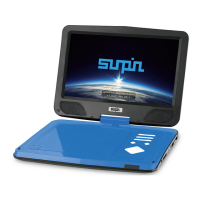
Need help?
Do you have a question about the Sunpin PD151 and is the answer not in the manual?
Critical guidelines for safe operation and handling of the DVD player.
Information on resolving common issues and warranty coverage for the device.
Diagram labeling the physical buttons and ports on the portable DVD player.
Diagram labeling the buttons on the remote control for the DVD player.
Instructions for turning the player on/off and selecting input sources.
Steps for inserting and playing DVD or CD discs on the player.
How to manage volume, mute, and utilize playback features like A-B repeat.
Guide to playing supported audio, video, and image files from a USB device.
Instructions for using SD and MMC memory cards for media playback.
Information on charging the built-in battery and its expected playback duration.
Configuration options for TV display, OSD language, captions, screensaver, and last memory.
Options for adjusting audio output, including speaker and downmix settings.
Options for adjusting video display properties like sharpness, brightness, and contrast.
Adjusting default DVD disc settings when no media is inserted.
Settings for TV type, audio language, subtitle language, and disc menu language.
 General
| Screen Size | 15.6 inches |
|---|---|
| Display Size | 15.6 inches |
| Resolution | 1366 x 768 |
| Power Supply | AC Adapter |
| Audio File Formats | MP3, WMA |
| Supported Formats | CD, DVD, VCD, SVCD |
| Video File Formats | AVI, MPEG, VOB |
| Image File Formats | JPEG |
| Connectivity | AV output, USB |
| Region Code | Region 1 |
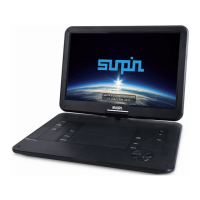

 To Next Page