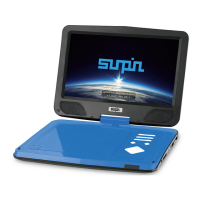
What’s in the box
1. Dvd player machine
2. Ac adaptor
3. Remote control
4. Av cable
5. Car adaptor
6. Instructions manual
7. Warranty card
Adjust settings
1.GENERAL SETUP PAGE
There are ve items in the GENERAL SETUP PAGE. They are TV DISPLAY, OSD LANGUAGE, CAPTIONS,
SCREEN SAVER, and LAST MEMORY
1.1 TV DISPLAY
4:3 PAN SCAN
If the unit is connected to a conventional TV set, the wide-screen image displayed on the screen in its native
aspect ratio with some part on the left and right cut o.
4:3 LETTERBOX
If the unit is connected to a conventional TV set, the wide-screen image will be displayed in its native aspect
ratio with black borders on the top and the bottom side.
16:9 wide:
Select this option if the unit is connected to a wide-screen TV set. The wide-screen image will be displayed
in full screen in its native aspect ratio while the 4: 3 image will be stretched out horizontally to t in the
screen.
9


 To Next Page