
 Need help?
Do you have a question about the SUNPRO DD2700H and is the answer not in the manual?
Apply power to motor, then press STOP for 2s within 7s to pair.
Press and hold UP and DOWN buttons simultaneously for 2s to reverse rotation.
Move screen up, then press UP + STOP simultaneously for 2s.
Move screen down, then press DOWN + STOP simultaneously for 2s.
Press and hold UP + STOP simultaneously for 5s to adjust.
Press and hold DOWN + STOP simultaneously for 5s to adjust.
Operate screen, then press P2, STOP, and STOP again to set.
Press P2, STOP, and STOP again to delete a preferred position.
Press P2, Down, and P2 to remove all set limits.
Link new remotes by pressing P2 twice, then P2 on the new remote.
Press P2, STOP, and P2 to remove all paired remotes.
Use LEFT/RIGHT to select channel, press STOP to save.
Press P2, UP, and UP to switch motor modes.
Check power, connections, battery, or RF interference for no motor response.
Address remote range issues and control of multiple motors.
Troubleshoot slow operation, noise, and stops due to limits or thermal fuse.
Resolve issues with screen not reaching limits or over-travel.
 General
| Device Type | Remote Control |
|---|---|
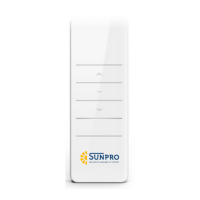
| Brand | SUNPRO |
| Model | DD2700H |
| Battery Type | AAA |
| Operating Range | Up to 10 meters |
| Infrared Frequency | 38 kHz |
| Power Source | Battery |

 To Next Page