A7670SA_TE kit_User Guide_V1.00
www.simcom.com
11
/
13
4.TE KIT USB Driver Installation
Users can manually install USB driver by the following steps:
1. Use USB cable to connect your PC to the Micro-USB port on the TE board. There should be several
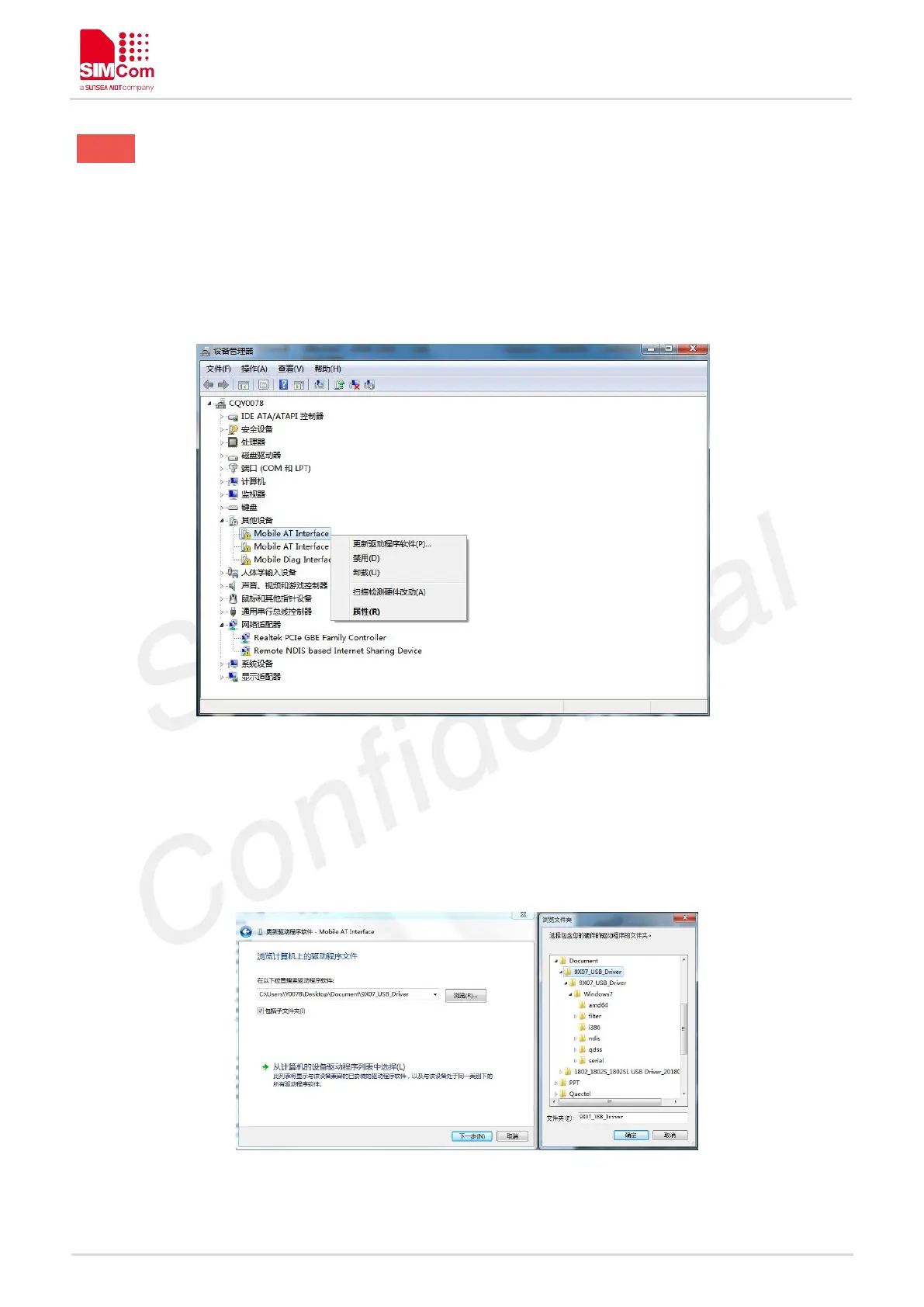
SimTech A7670SA devices listed under other devices in Device manager like the following Figure 4.
Figure 4: A7670SA Devices Recognized by the Operating System
2. Right click each of the “Mobile AT Interface” devices and select “Update driver”.
3. Select “Browse my computer for driver software”.
4. Click “Browse” and manually search from the driver folder provided, then click “Next”.
Figure 5: Browse for the drivers


 To Next Page