EasyManua.ls Logo

Sunsky 1789 - User Manual

Sunsky 1789
26 pages
Print Icon
To Next Page IconTo Next Page
Loading...
Instruction Manual
1789
1790
1791
1792
Locate and find car
RADIO
CAR MP3 PLAYER
ESPAÑOL
Русский
ENGLISH
FRANÇAIS
DEUTSCH
ITALIANO
Power Supply Voltage
Max Current Consumption
Max Output Power
SPECIFICATION
12~14.4V DC, Negative Ground
15A
4X60W
Voltaje de la fuente de alimentación
Consumo de corriente máximo
Potencia máxima de salida
ESPECIFICACIÓN
12~14,4 V CC, tierra negativa
15A
4X60W
Напряжение питания
Максимальное потребление тока
Максимальная выходная мощность
СПЕЦИФИКАЦИЯ
12~14,4 В пост. тока, минусовая земля
15А
4X60 Вт
Tension d'alimentation
Consommation de courant maximale
Puissance de sortie maximale
SPÉCIFICATION
12 ~ 14,4 V CC, masse négative
15A
4X60W
Stromversorgungsspannung
Maximaler Stromverbrauch
Maximale Ausgangsleistung
SPEZIFIKATION
12~14,4 V DC, negative Masse
15A
4X60W
Tensione di alimentazione
Massimo consumo di corrente
Potenza di uscita massima
SPECIFICA
12~14,4 V CC, terra negativa
15A
4X60W
1789,1790,1791,1792
Question and Answer IconNeed help?

Do you have a question about the Sunsky 1789 and is the answer not in the manual?

Overview

This document describes a CAR MP3 PLAYER, a device designed for in-car audio entertainment and connectivity.

Function Description:

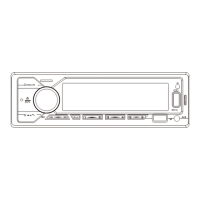
The CAR MP3 PLAYER serves as a central unit for playing audio from various sources, including USB drives, SD cards, and Bluetooth-connected devices. It features an AM/FM radio tuner, allowing users to listen to local broadcasts. The device supports multiple audio formats and offers sound customization options. It also includes a microphone input for hands-free calling via Bluetooth. The player can be controlled directly via its front panel buttons and rotary knob, or remotely using an infrared remote control. Additionally, a smartphone application is available for both iOS and Android platforms, providing an alternative method for controlling the device and locating the car.

Important Technical Specifications:

  • Power Supply Voltage: 12–14.4V DC, Negative Ground
  • Max Current Consumption: 15A
  • Max Output Power: 4x60W
  • Connectivity: USB port, SD card slot, AUX-IN, Bluetooth, Microphone input, IR receiver.
  • Supported Media: USB drives, SD cards.
  • Supported Audio Codecs: FLAC (lossless audio codec), MP3, WMA.
  • Radio Tuner: AM/FM with preset stations.
  • Display: LCD display for showing track information, radio frequency, clock, and menu options.
  • Output: Subwoofer output, Front audio output (left/right), Rear audio output (left/right).
  • Input: Front audio input, Rear audio input.

Usage Features:

  • Power On/Off: Short press the power button to turn the device on or off.
  • Mode Selection: Press the MODE button to cycle through different sources (Radio, USB, SD, AUX-IN, Bluetooth).
  • Volume Control: Rotate the VOL knob to adjust the volume.
  • Audio Settings: The VOL knob can be pressed to access audio settings such as BASS, TREBLE, BALANCE, FADER, EQ (Equalizer presets like Classic, Rock, Pop, Jazz, Optimal, Country, Dance, Off), LOUD (Loudness on/off), and STEREO (Stereo/Mono).
  • Radio Tuning: Short press the BAND/AMS button to switch between FM1, FM2, FM3, AM1, AM2 bands. Long press BAND/AMS for automatic station search and storage. Use the forward/backward buttons to manually tune or seek stations.
  • Media Playback: Insert a USB drive or SD card to automatically start playback. Use the forward/backward buttons to skip tracks. The 1/2/3/4/5/6 buttons can be used for direct preset selection or for navigating folders/files.
  • Bluetooth Connectivity: Pair your smartphone with the device (device name "SWL-BT"). Once connected, you can play music from your phone and make/receive calls hands-free. The device supports displaying caller ID.
  • Clock Display: Long press the CLK button to display the clock. Short press CLK again to set the hour and minute.
  • Mute Function: Press the MUTE button to silence the audio.
  • Remote Control: The included remote control provides access to most functions, including power, mode, volume, track skipping, station tuning, and audio settings.
  • Smartphone App Control: Scan the QR code provided in the manual to download the companion app. The app allows for remote control of the device, including power, volume, mode selection, and even locating the car.
  • USB Charging: The USB port can also be used to charge mobile devices (5V_2.1A).
  • Reset Button: A reset button is available to restore the unit to factory defaults.

Maintenance Features:

  • Installation: The manual provides detailed instructions for installation, including how to separate the iron frame from the host, insert the iron frame into the car radio installation window, fix the iron frame to the car with a screwdriver, and snap the main unit into the iron frame.
  • Wiring: A comprehensive wiring diagram is included, detailing connections for subwoofer outputs, front and rear audio outputs, power (ACC, Gnd, +12V), antenna, and speakers (front left/right, rear left/right). Specific color codes are provided for each wire.
  • Troubleshooting: A dedicated section addresses common problems and solutions, such as issues with power, wiring, USB/SD card recognition, Bluetooth connectivity, sound output, and subwoofer functionality. This section helps users diagnose and resolve minor issues without professional assistance.
  • Test Method: Before installation, users are advised to test the machine with the car's battery. This involves connecting the red and yellow wires of the standard power cord to the positive pole of the battery and the black wire to the negative pole. Press buttons for 10 seconds to confirm normal operation. If the machine does not turn on, troubleshooting steps are provided.
  • Cleaning: While not explicitly detailed, general electronic device maintenance practices such as keeping the unit clean and free from dust are recommended to ensure longevity.
  • Firmware Updates: Although not explicitly mentioned, some modern car MP3 players may support firmware updates, which could be a maintenance feature to improve performance or add new features.

Sunsky 1789 Specifications

General IconGeneral
BrandSunsky
Model1789
CategoryCar Receiver
LanguageEnglish