EasyManua.ls Logo

Sunso WTP-801 - Page 2

Sunso WTP-801
2 pages
Print Icon
To Previous Page IconTo Previous Page
Loading...
1
2
3



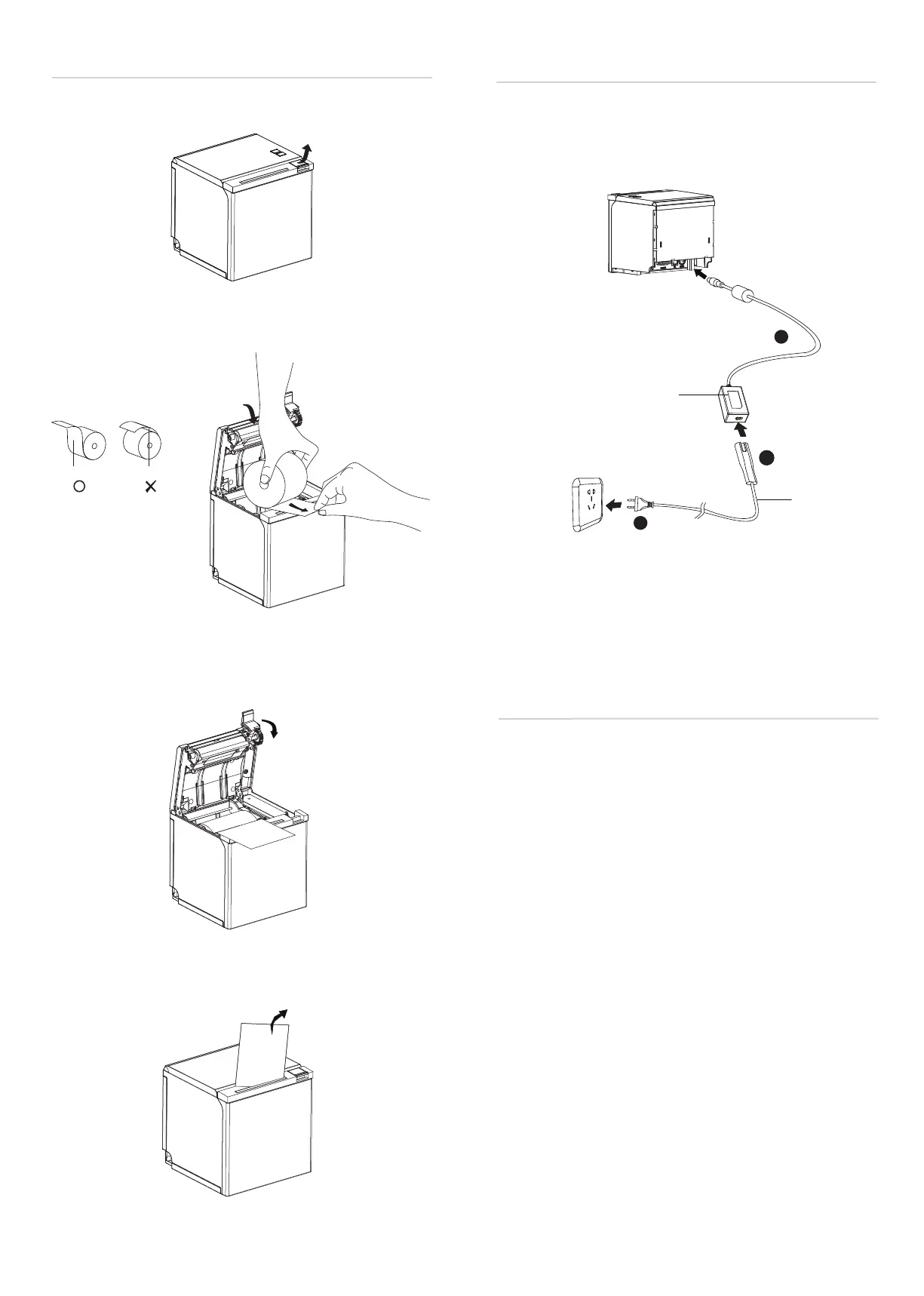
3.Pull out some roll paper, and close the printer cover.
1.Connect power adapter to printer.
2.Connect power adapter to power cord.
3.Plug the other side of power cord into the socket outlet.
Power Cord
Power Adapter

Power Supply
Bluetooth/Ethernet/Wi-Fi 

Default name: BT Printer
Default password: 0000 or 1234
Refer to POS Printer Bluetooth Manual for more details.

Printer WiFi factory default is AP mode with IP address

phone is connected to printer successfully, users can click


Access password: 12345678
.

Connect Ethernet to the printer.

“192.168.0.31”, Subnet mask “255.255.255.0” and Default
gateway “192.168.0.1”.






Other manuals for Sunso WTP-801

Related product manuals