1. Display Panel
2.
Stop: Stop playback in CD/USB/SD #5 modes; stop recording.USB/
SD: Switch to USB or SD card modes.
3. Record/Delete
4. Repeat/Program
5. Speakers (Stereo)
6. Function Knob: Rotate the knob to select PHONO, CD, AUX, or
RADIO.
7. Power
8. Compact Disc Tray
9. Band: Select AM/FM in RADIO mode.
10. Tuning Knob: Tune to a radio station in RADIO mode.
11. Earphone Jack
12. 3.5mm AUX-IN Jack
13. Volume Knob
14. OPEN/CLOSE CD Tray
15. |<< : Press to select previous track or press and hold to fast
reverse.
16. >>|: Press to select next track or press and hold to fast forward in
CD/USB/SD modes.
17. Play/Pause: Play/Pause playback in CD mode. The Play Indicator
illuminates during playback of a CD.
18. USB and Bluetooth Port
19. SD Card Slot
20. Tape Operation Button: Eject/Fast Forward cassette.
21. Cassette Tray
22. Dust Cover
23. Turntable
24. 45 RMP Adapter
25. Tone Arm
26. Cue-Lever: Use this lever to lift the tone arm.
27. Auto Switch
28. Speed Selector
29. Tone Arm Lock
30. Cartridge with Stylus
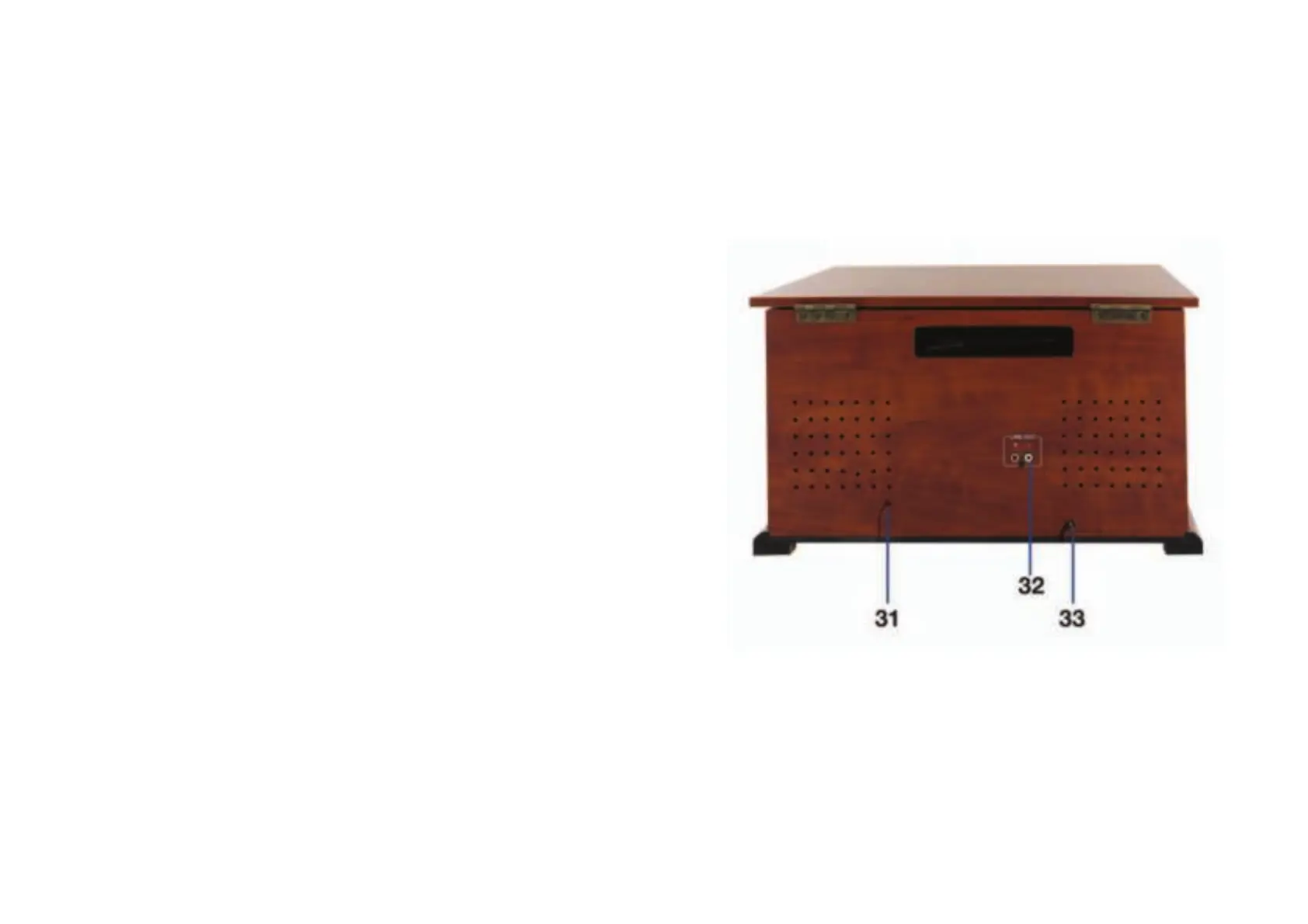
Back View
31. FM Antenna
32. LINE-OUT Sockets
33. Power Cord


 To Next Page