AUTOMATIC POWER OFF FUNCTION
The tower speaker will turn to standby mode after 60 minutes if an external device
connecting to LINE in, RCA or BT is disconnected or the volume is too close to
mute.
8
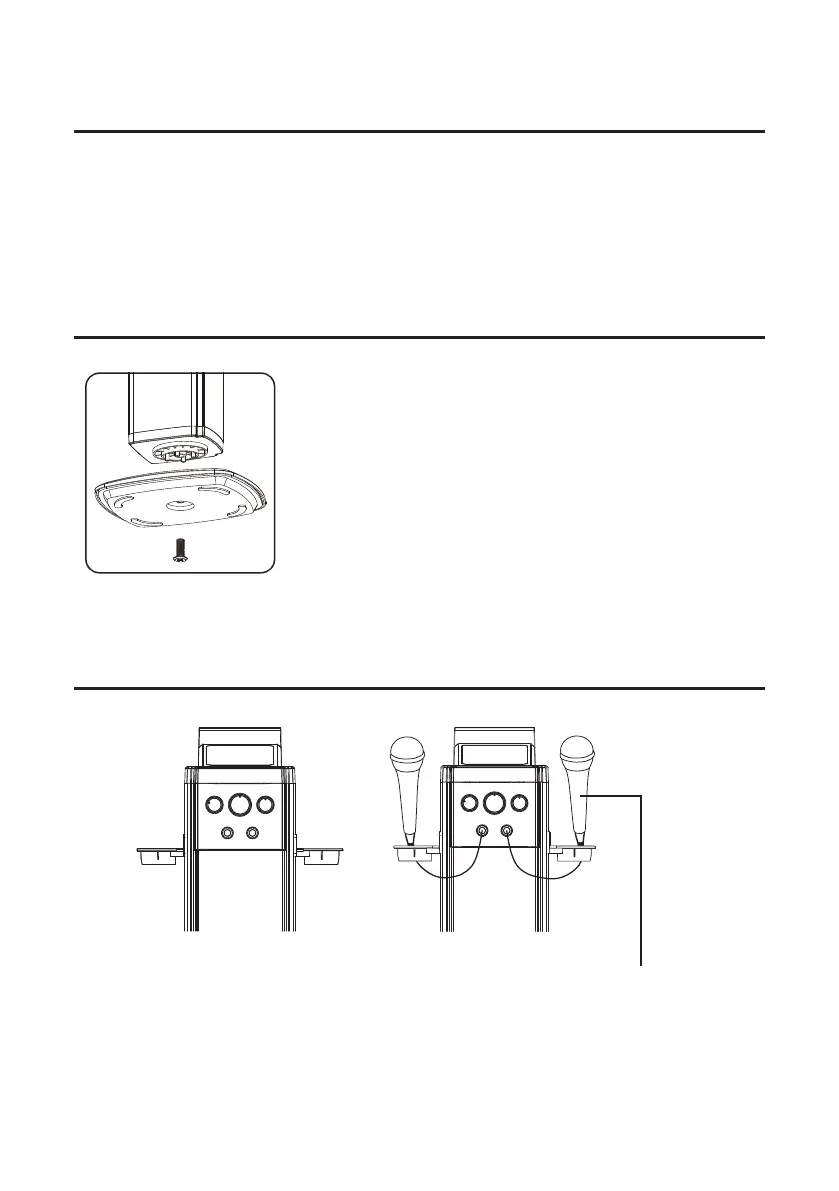
INSTALLING THE BASE TO THE TOWER
1. Take out the base and a piece of screw Ø10×28mm
(supplied).
2. Matches those pillars of the tower (at the bottom) with
the appropriate holes from the base.
3. Screws up with screw Ø10×28mm.
CONNECTING THE MICROPHONE
Insert the microphone
plug into MIC JACK 1
and MIC JACK 2.


 To Next Page