Connection to Bluetooth
1- Select “Settings”
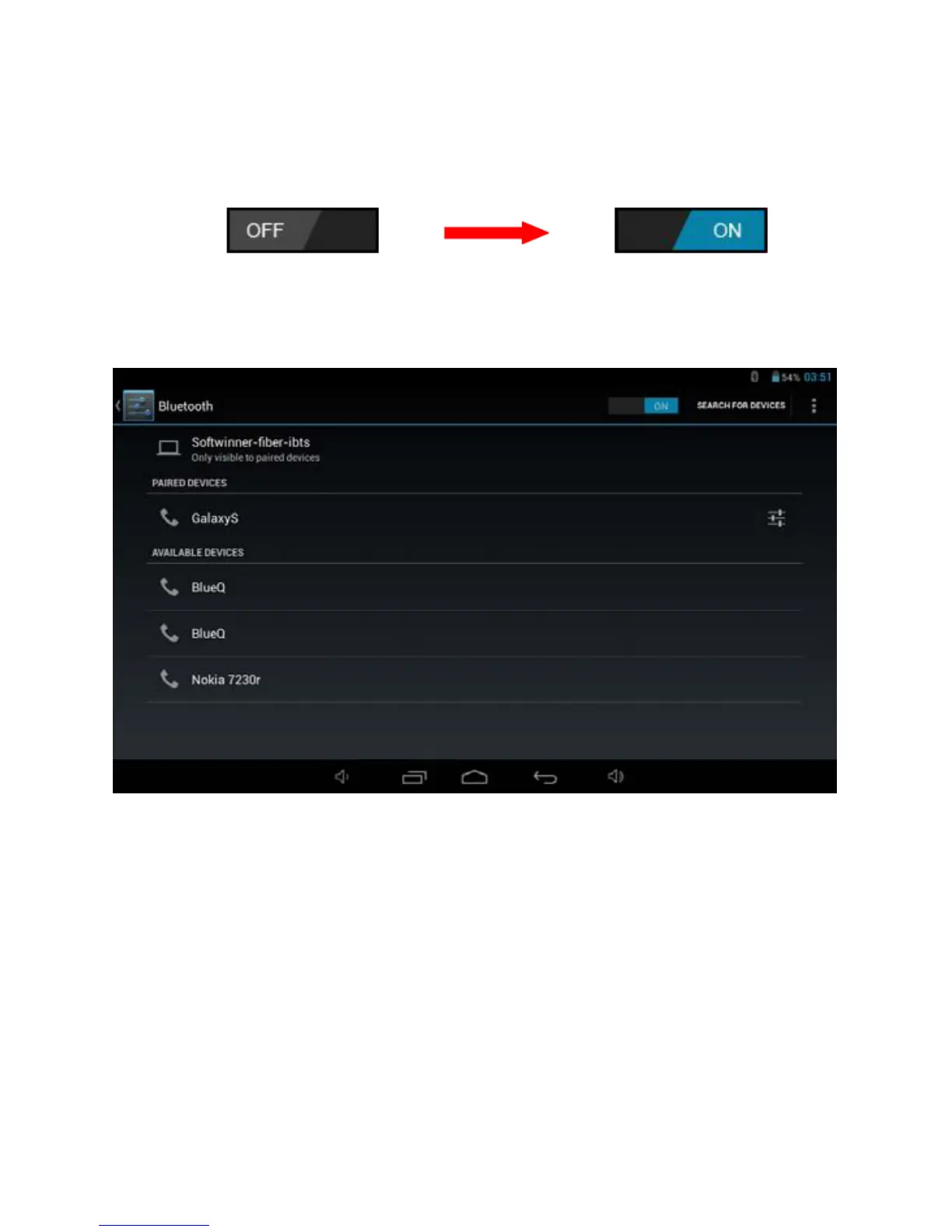
2- Select “Bluetooth” and slide OFF to ON status.
3-All detec
ted Bluetooth device in the area will be listed, tap to select the
device connection.
4- When you
r select the device must enter code and permission key if
necessary to pairing.
5-On the other device must accept the permissions to connect between
them.
6- Now, your can sent photos / Music…
10


 To Next Page