Operation Introduction, Figure 6
Before starting operations in this section:
1. Find a place where there is power supply nearby.
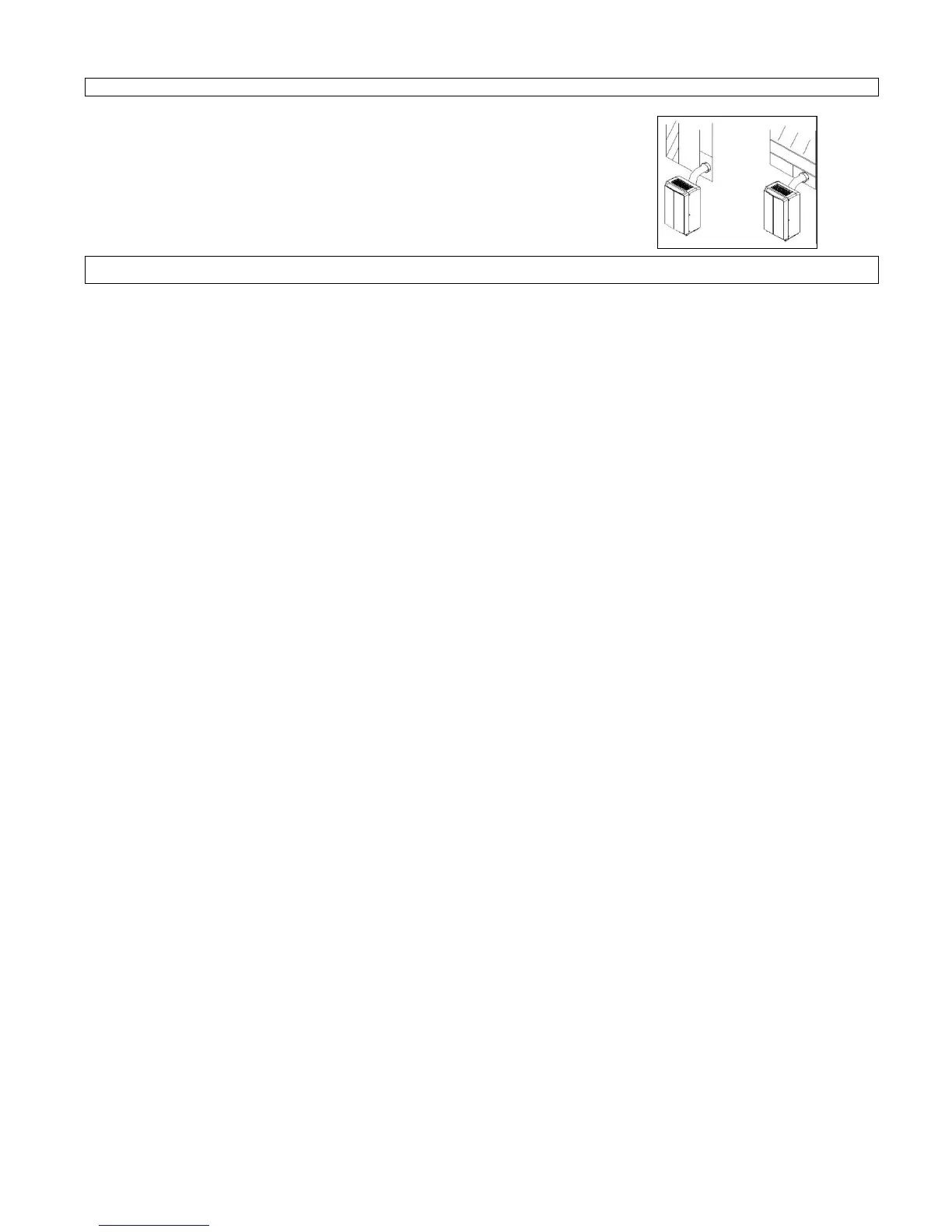
2. As shown in the figure on the right, install the exhaust hose, and adjust the window position well.
3. Insert the power cord into an grounded AC230V/50Hz socket;
4. Press the POWER button to turn on the air-conditioner.
5. After switching on, or over, the ventilator operates, but the compressor starts later. Cooling effect may require a further 10 minutes.
Before using
Notice:
1. Operation temperature range:
Check up whether the exhaust hose has been mounted properly.
Cautions for cooling and dehumidifying operations:
- When using functions on cooling and dehumidifying, keep an interval of at least 3 minutes between turning on and turning off.
- Power supply meets the requirements.
- The socket is for AC use.
- Do not share one socket with other appliances.
- Power supply is AC230V,50Hz
2. Cooling operation
- Press the “Mode” button till the “Cool” icon (see Figure 4) appears.
- Press the “Temp +”or“ Temp -” button to select a desired room temperature. (16°C-31°C)
- Press the “Fan Speed” button to select wind speed.
- After setting, the current room temperature is shown on the display.
3. Auto Mode
- Press the “Mode” button till the “Auto” icon (see Figure 4) appears.
- Press the “Temp +”or“ Temp -” button to select a desired room temperature.
- After setting, the room temperature is shown in the display.
- in Auto mode, the fan speed is changeable.
- Auto mode means, that the unit will turn off, when the desired room temperature is reached and it will turn on, if the room temperature changes again.
- If the room temperature is equal to or above 18 ° C, the unit can cool in the automatic mode. At lower temperatures the device will protect the compressor by
automatically switching into ventilation mode.
4. Dehumidifying operation
Press the “Mode” button till the “Dehumidify Indicator Lamp” (see Figure 4) blinks
- The unit will set the temperature and the fan speed by itself.
5. Timer operation
Timer ON setting cooling:
- When the air-conditioner is OFF, press the “Timer” button and select a desired ON time through the temperature and time setting buttons.
- ON time can be regulated at any time in 0-24 hours.
- Press the “Timer” button to confirm your setting.
Timer OFF setting cooling:
- When the air-conditioner ON, press “Timer” button and select a desired OFF time through the temperature and time setting buttons.
- OFF time can be regulated at any time in 0-24 hours.
- Press the “Timer” button to confirm your setting.



 To Next Page