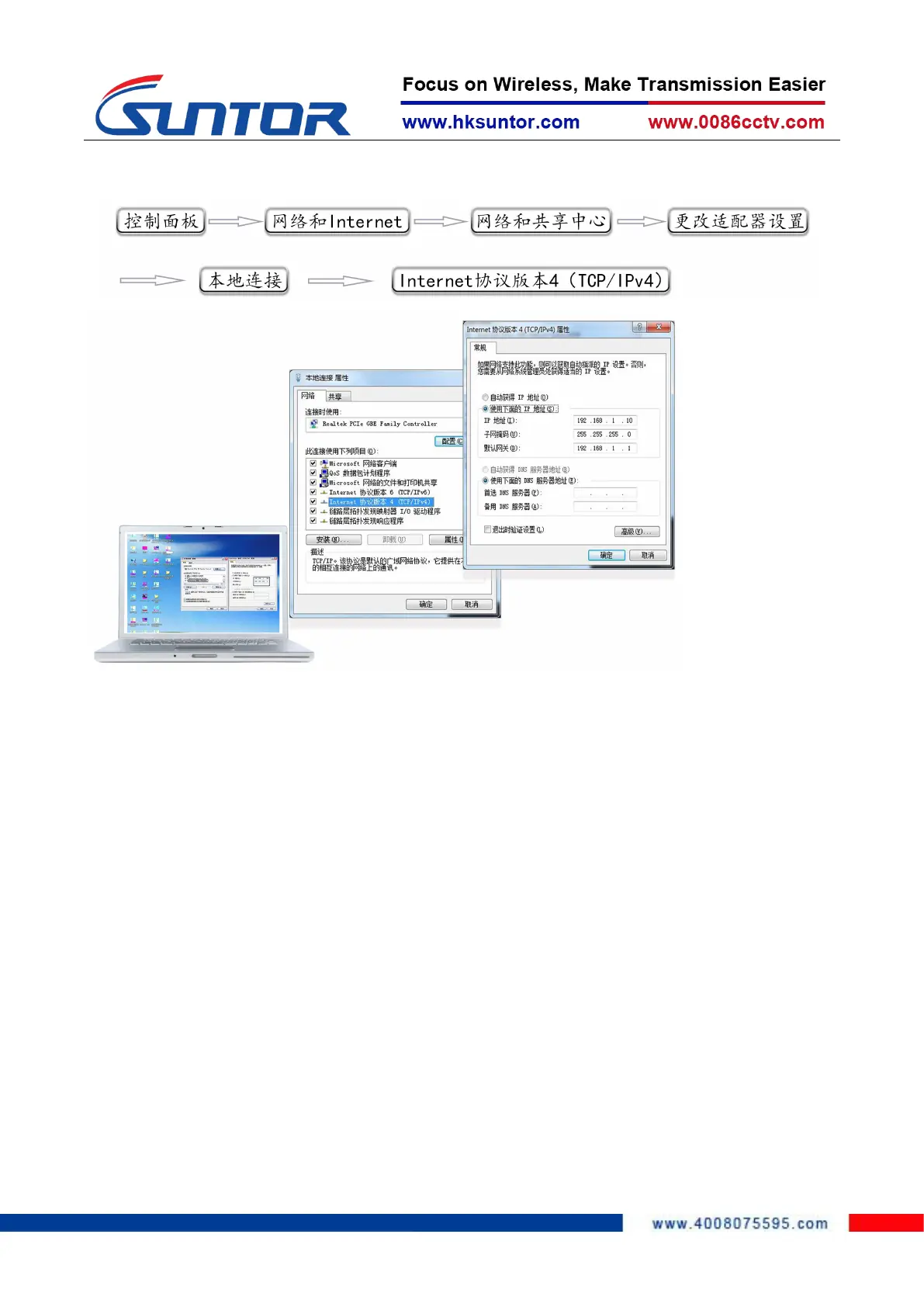
The steps to modify computer IP:
4.2 Equipment Login
1. Open IE browser, input the IP of the device in the address bar: 192.168.1.12,
log in the device and select "Management Login", the default IP of the device
is: 192.168.1.12, username and password is: admin123.


 To Next Page