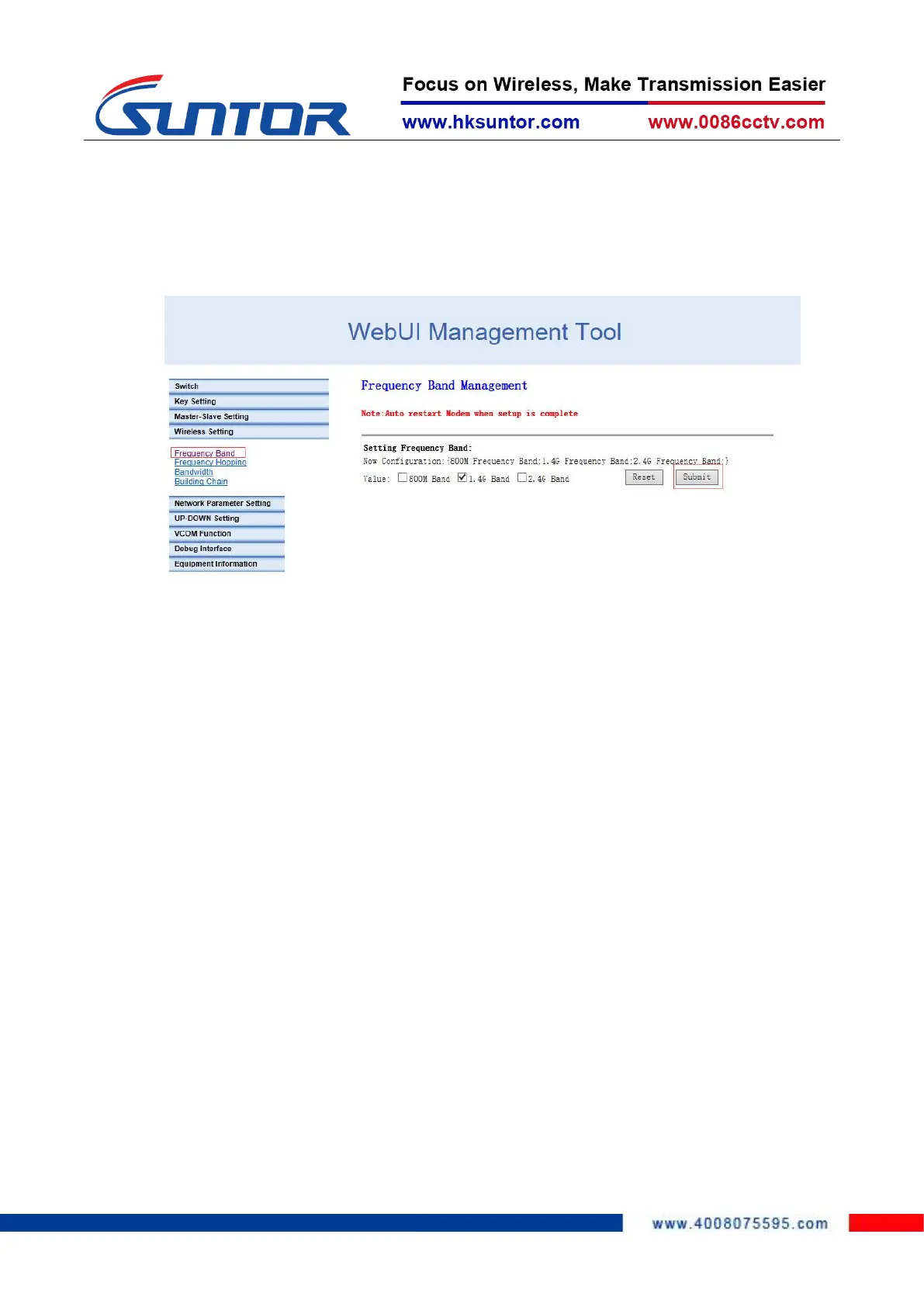
supports the RF 800M frequency band and 1.4G frequency band. The 2.4G frequency
band is not open yet. After confirming the frequency, click "Submit" to complete the
configuration. The operation is as follows:
4.6 Set Bandwidth
According to the link throughput demand, users can choose channel bandwidth 1.4, 3,
5, 10, 20 MHz. The narrower the bandwidth, the farther the transmission distance, the
lower the bandwidth, the closer the transmission distance, and the higher the
transmission rate. Different electromagnetic environments exist in different
environments. The frequency can be adjusted to avoid channel interference and
achieve better transmission effect. Click "Wireless Setting", select "Bandwidth", select
the bandwidth and click "OK" to complete the configuration. Operation as shown
below:
Set the frequency band
800MHz/1.4GHz


 To Next Page