Need help?
Do you have a question about the Sunvic SunPro2000 and is the answer not in the manual?
Details on power supply, load rating, mains fuse, temperature range, memory backup, backlight, and protection class.
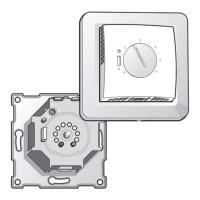
Indicates compatibility with the Standard British Gas system wiring back-plate.
When 'P' is selected, each channel is programmed independently.
When 'G' is selected, the CENTRAL HEATING channel controls the HOT WATER channel.
Explains 24H (all days same), 5/2D (weekdays one program, weekend another), and 7D (each day independent).
Protects pipes from freezing by activating when room temp is low, activated by jumper.
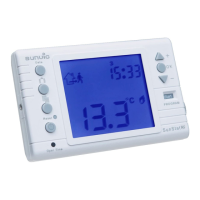
The ( ) symbol flashing on the LCD indicates the FROST PROTECTION function is active.
Hold '+' and '-' buttons for 5 seconds to enter the selection mode for temperature adjustment.
Use '+' and '-' to set the point (5-20°C), then press 'OK' to activate.
Enables programmer as a room thermostat, activated by fitting a jumper.
When activated, programmed ON/OFF times are overridden when set room temperature is reached.
Hold '+' and '-' buttons for 5 seconds to enter selection mode for room temperature.
Use '+' and '-' to set temperature (5-35°C), then press 'OK' to activate.
When Frost Protection and Temp Control are active, holding '+' and '-' first allows room temp adjustment.
Instructions on using a flat-headed screwdriver to replace the battery with a new 3V DC Lithium CR 2032.
Details wiring connections for replacing various older programmer models with the SunPro2000.
 General
| Voltage | 230V AC |
|---|---|
| Temperature Range | 5°C to 30°C |
| Display | LCD |
| Mounting | Wall-mounted |
| Contact Type | SPDT (Single Pole Double Throw) |
| Switching Current | 3A (resistive) |
| Battery Backup | Yes |


 To Next Page