EasyManua.ls Logo

Sunvic TLX RFP - User Manual

Default Icon
8 pages
Print Icon
To Next Page IconTo Next Page
Loading...
- 1 -
TLX RFP
What is a room thermostat?
A room thermostat simply switches the heating system on and off as necessary. It works by sensing the air temperature,
switching on the heating when the air temperature falls below the thermostat setting, and switching it off once this set
temperature has been reached.
Turning a room thermostat to a higher setting will not make the room heat up any faster. How quickly the room heats up
depends on the design of the heating system, for example, the size of boiler and radiators.
Neither does the setting affect how quickly the room cools down. Turning a room thermostat to a lower setting will result in
the room being controlled at a lower temperature, and saves energy.
The heating system will not work if a time switch or programmer has switched it off.
The way to set and use your room thermostat is to find the lowest temperature setting that you are comfortable with, and
then leave it alone to do its job. The best way to do this is to set the room thermostat to a low temperature – say 18
o
C –
and then turn it up by one degree each day until you are comfortable with the temperature. You won’t have to adjust the
thermostat further. Any adjustment above this setting will waste energy and cost you more money.
If your heating system is a boiler with radiators, there will usually be only one room thermostat to control the whole house.
But you can have different temperatures in individual rooms by installing thermostatic radiator valves (TRVs) on individual
radiators. If you don’t have TRVs, you should choose a temperature that is reasonable for the whole house. If you do have
TRVs, you can choose a slightly higher setting to make sure that even the coldest room is comfortable, then prevent any
overheating in other rooms by adjusting the TRVs.
Room thermostats need a free flow of air to sense the temperature, so they must not be covered by curtains or blocked by
furniture. Nearby electric fires, televisions, wall or table lamps may prevent the thermostat from working properly.
This thermostat can replace most common residential thermostats. It is designed to be used with electric, gas or oil heating
or cooling control systems.
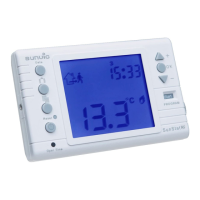
Unlike most common single design thermostats, the TLX RFP(v) separates the thermostat function into two units. The
receiver makes the hard wired connection to the pump, boiler, motorised valve etc, whilst the transmitter (thermostat) cam
be situated in any room to read and control the temperature and transmit the information to the RF receiver.
Question and Answer IconNeed help?

Do you have a question about the Sunvic TLX RFP and is the answer not in the manual?

Summary

What is a Room Thermostat

Thermostat and Receiver Layout

Thermostat Layout

Diagram and features of the main thermostat unit, including its LCD display and controls.

Receiver

Diagram and features of the RF receiver unit, detailing its connection and indicators.

Thermostat Setup and Configuration

Inserting Batteries

Instructions for correctly inserting AA batteries into the thermostat unit.

Heater;Cooler Selection

Guide to setting DIP switches for selecting heating or cooling modes.

Differential Setting

Explanation of the temperature differential and its impact on switching.

RF Address Code Setting

Procedure for setting the RF address code between the thermostat and receiver.

Setting Control Temperature

Steps to adjust comfort and economy temperatures and understand mode indicators.

User Defined Profiles

Guidance on setting custom heating programs using day and time controls.

Programming and Operation

Setting Up Your Own Programme

Detailed steps for creating custom heating schedules using the timeline.

Setting Time and Day

Instructions for setting the current time and day of the week on the thermostat.

Comfort and Economy Modes

How to toggle between Comfort and Economy modes for temperature control.

Temporary Override

Method for temporarily changing the set temperature from programmed schedules.

Frost Protection

Activating and deactivating frost protection mode for low temperatures.

Backlight and Battery Replacement

Using the backlight and indicators for battery replacement.

Programme Profiles and Specifications

Programme Profiles

Visual representation of pre-set and user-defined heating programs.

Specifications

Technical details of the thermostat and receiver, including power, ratings, and dimensions.

Easy Set Guide

Selecting Day Type

Choosing between 24-hour or 5/2 day programming schedules.

Selecting Programme

Choosing factory pre-set programmes or creating custom ones.

Creating Custom Programmes

Detailed steps for manually setting ON/OFF times and comfort periods.

Advanced Settings and Wiring

5;2 Day Option for Personal Programmes

Guidance on setting separate programmes for weekdays and weekends.

Setting Temperature Modes

Adjusting Comfort and Economy temperatures and toggling between modes.

Wiring Connections

Diagrams for connecting the TLX RFP and TLX RFP(V) units to heating systems.

Summary

What is a Room Thermostat

Thermostat and Receiver Layout

Thermostat Layout

Diagram and features of the main thermostat unit, including its LCD display and controls.

Receiver

Diagram and features of the RF receiver unit, detailing its connection and indicators.

Thermostat Setup and Configuration

Inserting Batteries

Instructions for correctly inserting AA batteries into the thermostat unit.

Heater;Cooler Selection

Guide to setting DIP switches for selecting heating or cooling modes.

Differential Setting

Explanation of the temperature differential and its impact on switching.

RF Address Code Setting

Procedure for setting the RF address code between the thermostat and receiver.

Setting Control Temperature

Steps to adjust comfort and economy temperatures and understand mode indicators.

User Defined Profiles

Guidance on setting custom heating programs using day and time controls.

Programming and Operation

Setting Up Your Own Programme

Detailed steps for creating custom heating schedules using the timeline.

Setting Time and Day

Instructions for setting the current time and day of the week on the thermostat.

Comfort and Economy Modes

How to toggle between Comfort and Economy modes for temperature control.

Temporary Override

Method for temporarily changing the set temperature from programmed schedules.

Frost Protection

Activating and deactivating frost protection mode for low temperatures.

Backlight and Battery Replacement

Using the backlight and indicators for battery replacement.

Programme Profiles and Specifications

Programme Profiles

Visual representation of pre-set and user-defined heating programs.

Specifications

Technical details of the thermostat and receiver, including power, ratings, and dimensions.

Easy Set Guide

Selecting Day Type

Choosing between 24-hour or 5/2 day programming schedules.

Selecting Programme

Choosing factory pre-set programmes or creating custom ones.

Creating Custom Programmes

Detailed steps for manually setting ON/OFF times and comfort periods.

Advanced Settings and Wiring

5;2 Day Option for Personal Programmes

Guidance on setting separate programmes for weekdays and weekends.

Setting Temperature Modes

Adjusting Comfort and Economy temperatures and toggling between modes.

Wiring Connections

Diagrams for connecting the TLX RFP and TLX RFP(V) units to heating systems.

Sunvic TLX RFP Specifications

General IconGeneral
BrandSunvic
ModelTLX RFP
CategoryThermostat
LanguageEnglish

Related product manuals