- 7 -
N.B. If using the 5/2 day option on personal programmes , the 5 day settings have to be
made on programme 7,8 or 9, then the 2 day settings have to be made on one of the
remaining two programmes.
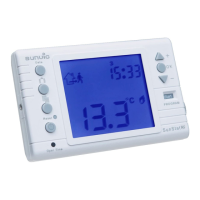
Next press the button with the clock symbol, the day number will flash and the time will be
displayed. Using either of the triangle buttons,set the current day of the week. Monday = day
1,Tuesday = day 2 etc.
Press the clock symbol again, the HOURS will flash. Set this using either of the triangle buttons.
When the hours have been set, press the clock symbol again and the minutes will flash. Again
using either triangle buttons, set the minutes. When you have done this, press the clock symbol to
exit the time setting.
Press the button showing the 'THERMOMETER' (right hand side of the 'P' button) If a crescent
moon symbol appears, press the SUN/MOON button until a SUN symbol appears. This is your
COMFORT temperature, the temperature you want to sit in and relax. Again use the triangle
buttons to set this temperature to say 20°C
Press the SUN/MOON button again, a crescent moon appears, this is the ECONOMY
temperature setting. This is the temperature you don't want your house to fall below. Use the
triangle buttons to set this temperature, typically around 15deg C, but you choose your own
temperature settings. (Economy setting typically 6°C below Comfort setting, this is to prevent your
heating from coming on if the room temp drops a couple of degrees below Comfort temp).
If you find your room is too warm and you're in COMFORT mode, press the SUN/MOON button,
this will toggle from COMFORT to ECONOMY and switch your heating off. Obviously if you are too
cold in an ECONOMY setting, toggle it to the COMFORT setting.
If too cold in a COMFORT setting, use the thermometer button to raise the temperature to
something a little higher. (Remember the SUN symbol must be showing when raising the
COMFORT temperature).
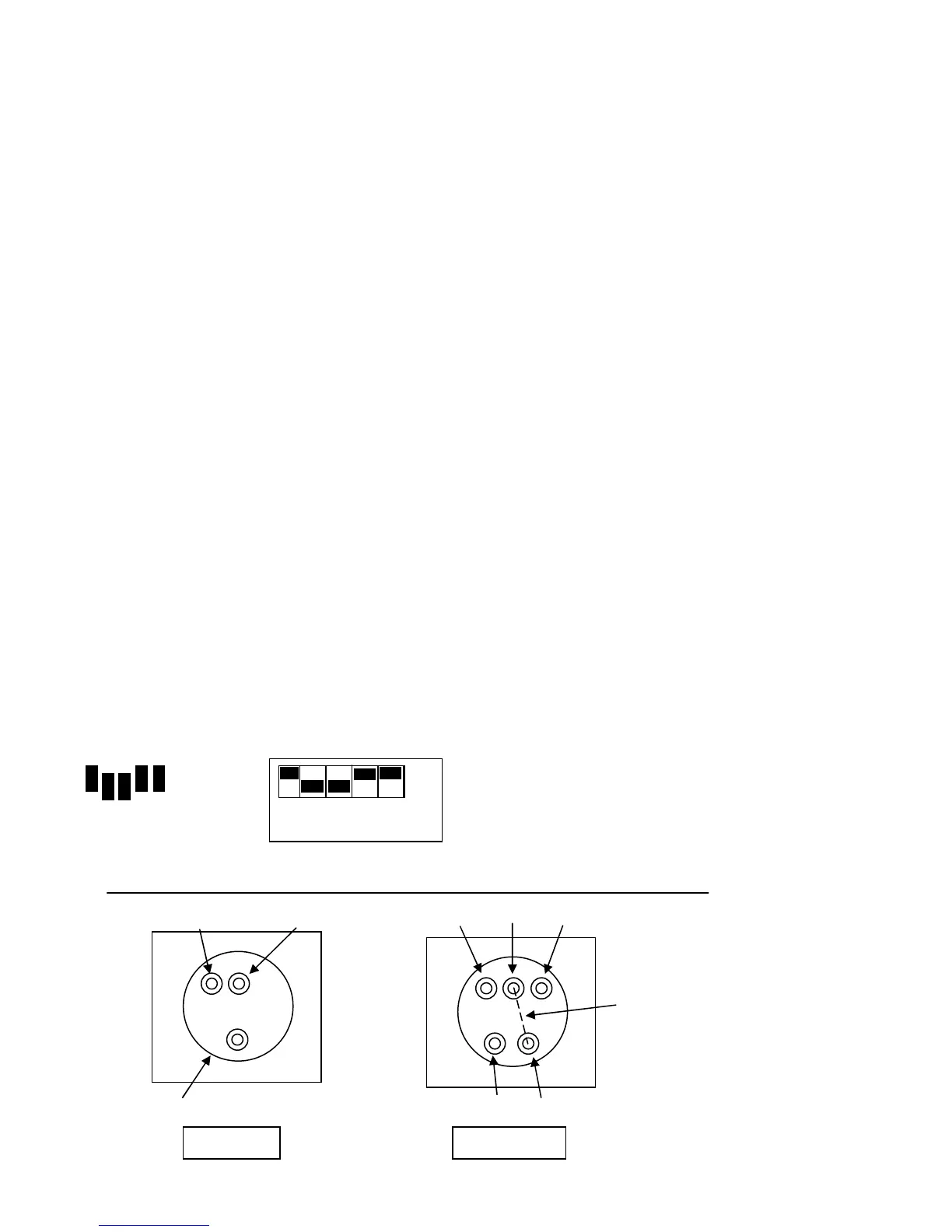
FOR RFP & RFP(V) ONLY Setting jumpers and DIP switches. Remove at least two jumpers from
thermostat and set the appropriate number of DIP switches. See diag.
DIP switch to ‘ON’ position if jumper is present
Live 240v Output
Neutral
Off Common On
Neutral Live
Remove link for
Volt free operation
TLX RFP TLX RFP(V)
Receivers
1 2 3 4 5



 To Next Page