SunStat User Instruction Leaflet: LE/0222/7001/0001/03 Page 2of 3
Programming Instructions
Set/Adjust Clock
Setting sequence is
Hour>Minute>Year>Month>Day
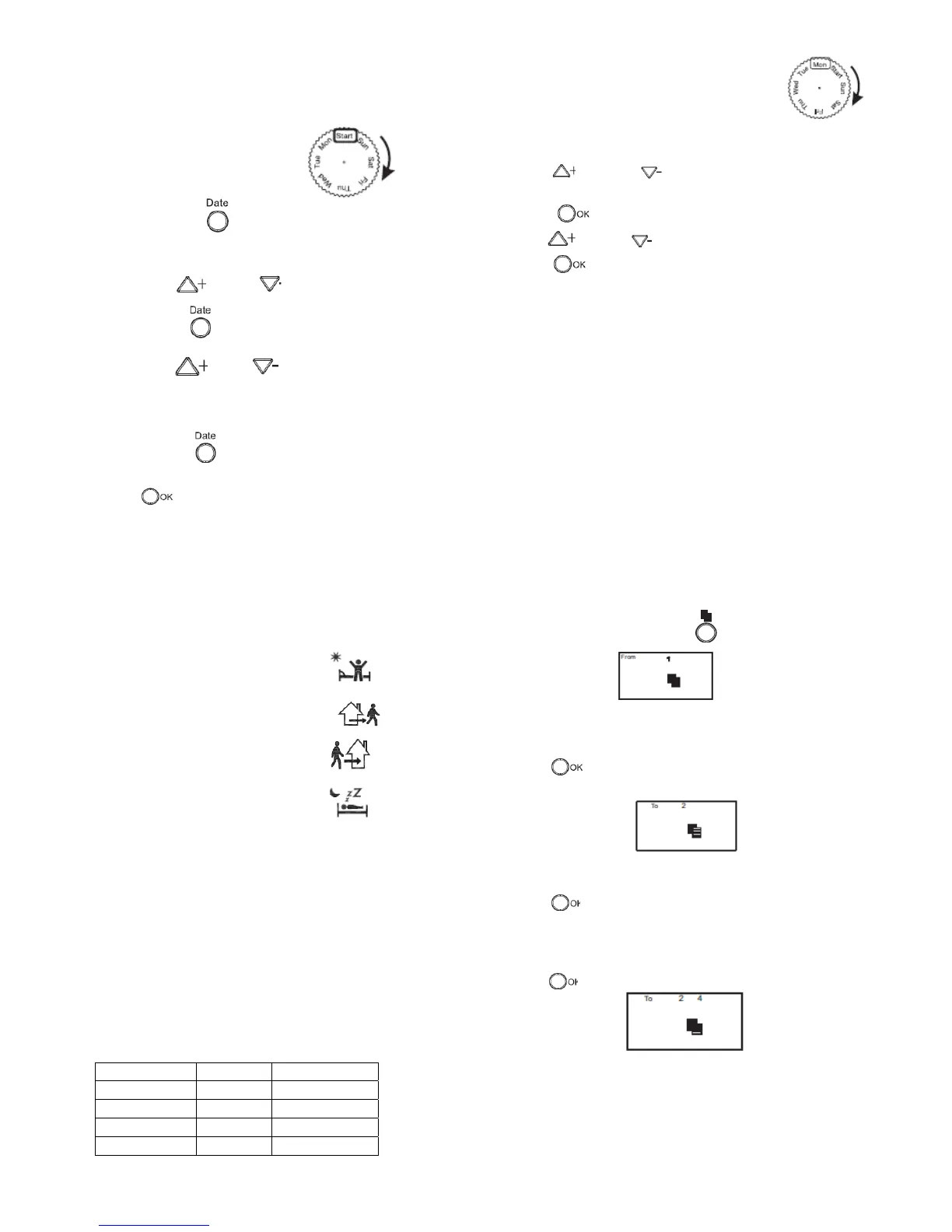
Spin the rotary selector to “START”.
1. Press & hold for 3 seconds to enter setting mode.
2. The “Hour” number on the LCD will flash.
3. Press or to set the correct hour.
4. Press the to set the minute.
5. Press or to set the correct minute.
6. Follow the same procedure as above to set the “year” then
“month” and “day” respectively.
7. Press again if further changes to the clock are
required.
8. When satisfied that the clock has been set correctly press
to confirm & save the changes.
9. Any delay of longer than 15 seconds when setting the clock,
will result in the unit returning to normal operation without
saving the changes
Set / Adjust Clock
It is possible to set 4 different programs for each day of the week.
Each program comprises of 1 temperature and time set points. 4
symbols are used to differentiate the programs.
1
st
program of a day “P1” is indicated by
2
nd
program of the day “P2” is indicated by
3
rd
program of the day “P3” is indicated by
4
th
program of the day “P4” is indicated by
The thermostat will hold the room temperature at the required set
point within each programmed time zone. At the next programmed
time zone the temperature can be changed, if required, to a
different temperature setting.
The program resolution is in 10 minutes intervals. The first interval
of the day starts at 00.00 is the last interval of the day starts at
23.50.
The programming is designed to allow users to “overlap” time
zones, if required. If an “overlap” is selected the number of
programmes will reduce by the number of “overlaps” For example
if the start up time of P3 is the same as the start up time of P4,
then the P3 operation will become an invalid command.
Program default settings
Program No On Time Temperature
P1 06.00
21.0°C
P2 08.00
18.0°C
P3 16.00
21.0°C
P4 23.00
17.0°C
Setting the program
1) Spin the rotary selector to the day of the week that
is required to be programmed (Monday for example).
2) Note that Monday corresponds to day 1 on the top line of the
display. Tuesday corresponds to day 2 etc.
3) Press or to set the required P1
temperature.
4) Press to save the required P1 temperature.
5) Press or to set the required P1 start time.
6) Press to save the required P1 start time.
7) Repeat the above procedure for P2, P3 & P4 to set the
remaining temperature and time set points for the selected day.
8) To set a different day, spin the rotary selector to the next
required day in the week and repeat the above procedure.
9) After completing the settings for all 7 days, spin the rotary
selector to “START”. The thermostat will automatically retain the
settings and start to operate.
Copy Function
The copy function allows a program setting to be copied from one day
to any number of the remaining days.
1) Use the rotary selector switch to select the day which will be
used as the source (Monday for example).
2) Check, if necessary, that the “day” to be used as the source
program has been programmed correctly, using the above
“setting the program” procedure.
3) When satisfied that the source day, in this case Monday, has
been programmed correctly press button.
4) The LCD will show
5) Spin the rotary selector to the day of the week that requires the
same program settings as the ”source day” (Tuesday for
example).
6) Press to confirm and save the source program
settings to the selected day, Tuesday in this example.
7) The display will show.
8) Spin the rotary selector to any of the remaining days of the week
that require the same program settings as the “source day”.
9) Press to confirm and save the source program.
10) If the “source day” requires to be copied to a second day then
move the rotary selector to the required day (in this example
Thursday).
11) Press to confirm and save the source program to the
selected day.
12) The display will show.
13) Repeat steps 10) and 11) if the source program is required to
copied to another day of the week.
14) Spin the rotary selector to “START” after the source day has
been copied to all the desired days of the week. The thermostat
will retain settings and start normal operation.


 To Next Page
 Loading...