Mounting and operation
3 |
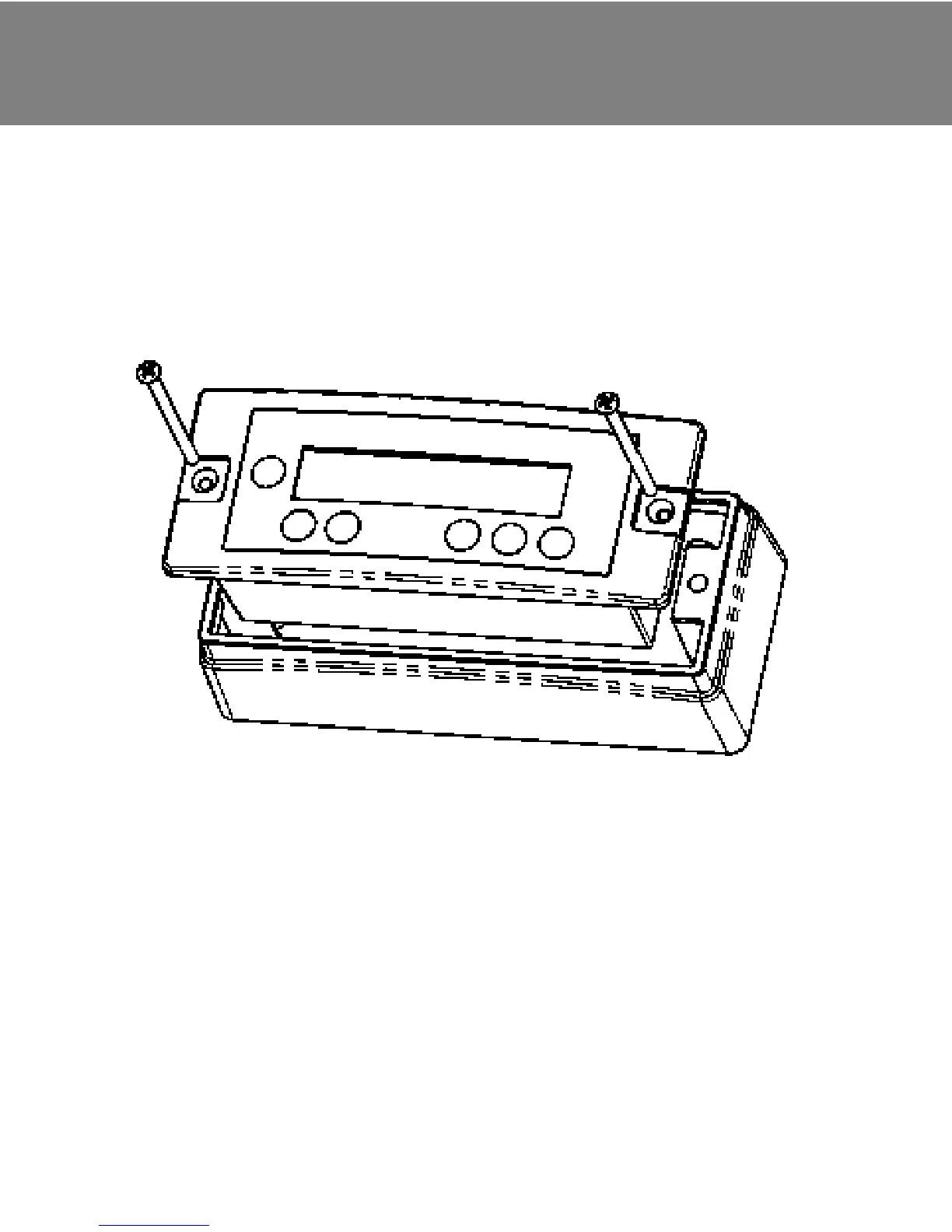
Use as surface-mounted unit:
In addition to the housing for integration, every FOX-MD1 is
additionally supplied with a frame for surface-mounted installation.
The following exploded drawing illustrates the installation steps.
Use as built-in unit:
When using the unit as built-in version, a cut-out of 125.5 x 53.5 mm is
required. Then, the minimum installation depth required is 40 mm.
Installation sequence:
1. Insert connecting cable into the FOX-MD1.
2. Place unit in the cut-out or the surface-mounted housing
and secure with 2 screws.
3. Carefully remove the cover of the receptacle at the
FOX unit.
ATTENTION: Do not damage the socket behind it!
4. Insert connecting cable in the FOX unit.
12
DE | | FR | IT | ES | GR | SE | NLGB


 To Next Page