
 Need help?
Do you have a question about the Supelco Reflectoquant RQflex 20 and is the answer not in the manual?
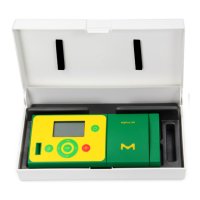
Describes the RQflex 20 and its components.
Lists the items included in the standard package.
Instructions for installing batteries before first use.
Instructions for replacing used batteries.
Notes on data saving during battery changes.
Details the function of each button on the instrument.
Details the function of each button on the instrument.
Explains the general structure and elements of the display.
Lists and describes the items available in the main menu.
Guide to initial power-on and self-check.
Provides an overview of available settings.
Provides an overview of available settings.
Procedure for changing the device's language.
Procedure for setting the desired date format.
Procedure for setting the desired time format.
Procedure for setting the current date.
Procedure for setting the current time.
Procedure for configuring the auto power off duration.
Procedure for enabling or disabling audible alerts.
Procedure for setting the countdown warning signal duration.
Procedure for enabling or disabling memory capacity warnings.
Procedure for initial instrument calibration.
Overview of available measurement methods.
Instructions for adding new measurement methods.
Step-by-step process for adding a new method.
Method addition via barcode scan.
Procedures for performing measurements using test kits.
Procedure A for measurement with one reaction time.
Procedure B for measurement with reaction and waiting times.
How to bypass the timer for immediate measurement.
Instructions for performing multiple measurements sequentially.
Important considerations during sample measurements.
Displays detailed information about selected methods.
Procedure for removing all stored measurement methods.
Displays a list of all stored measurement results.
Shows detailed information for a specific measurement result.
Procedure for deleting a specific measurement result.
Procedure for recalibrating the instrument.
Step-by-step instructions for recalibration.
Displays the results of calibration procedures.
Overview of AQA and system monitoring.
Overview of AQA and system monitoring.
Procedure for performing an RQcheck.
Displays results from RQcheck procedures.
Displays software version, memory, and serial number.
Guidelines for proper care and handling of the instrument.
Instructions for cleaning the strip adapter components.
Step-by-step guide for cleaning the strip adapter.
Explanations and remedies for display messages.
Detailed list of error messages and their solutions.
Troubleshooting for common non-error issues like frozen display.
Details the warranty period and terms for the instrument.
 General
| Brand | Supelco |
|---|---|
| Model | Reflectoquant RQflex 20 |
| Category | Test Equipment |
| Language | English |

 To Next Page

